Open receivables at a glance
Overview
"Dunning" in the sidebar (the "Finances" group) is your control centre for open receivables: key figures on the portfolio, all ongoing dunning cases with filters – and a forecast of which notices are due next.
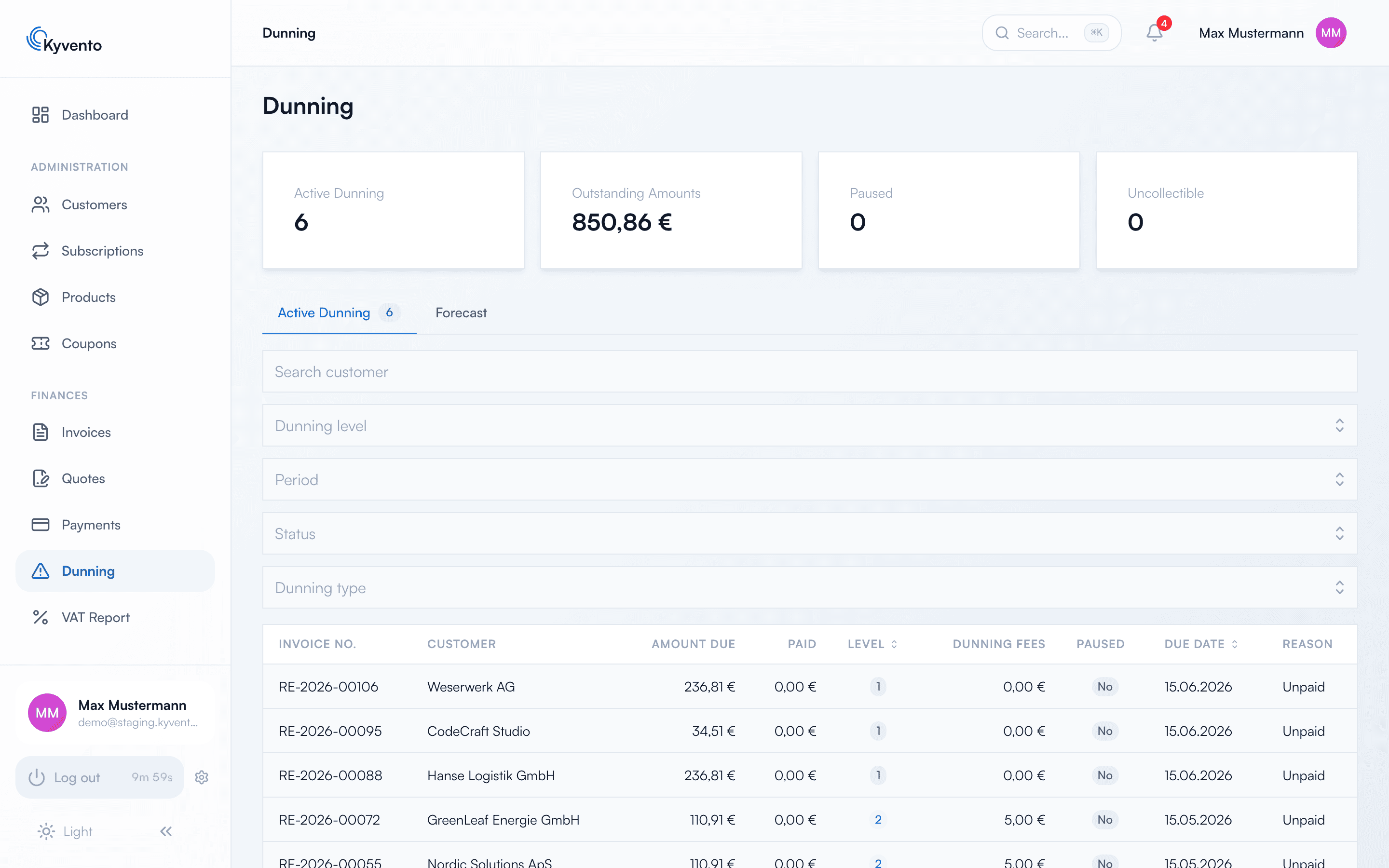
The key figures above the list
The cards at the top of the page answer the portfolio questions: how many invoices are currently in a dunning level, how much money is tied up in them (per currency), how many cases on hold are waiting for your decision, and how many receivables count as uncollectible.
One further card only appears when there is something to show: "Collection halted (currency)". It counts documents whose stored payment method cannot collect the document currency. Such cases are not dunned and not suspended – a customer cannot be in default over something they could not have known. Instead they receive a notice asking them to store a suitable payment method or pay by bank transfer; only then does a deadline start running, and once it expires the normal dunning ladder applies. Clicking the number takes you straight to the affected documents.
The "Active Dunning" tab
The list shows, per case, the level reached, the open and paid amounts, accumulated fees and the hold status. The filter bar above narrows by customer, dunning level, status, period and "Dunning type" – the last of these separates ordinary late payment from cases on the chargeback ladder.
Clicking a row opens the "Dunning Details": the complete dunning history and the actions to pause the case or close out the receivable (see Pausing or suspending dunning notices and Debt collection and external providers).
The "Forecast" tab
The forecast looks ahead and lists the overdue invoices whose next escalation falls within the next 28 days – with date and countdown. Invoices whose next level falls due later do not appear here yet. This shows you who will receive a notice in the coming days, so you can step in beforehand – with a phone call or a dunning hold.
Open items outside dunning
Not every overdue invoice is already in a dunning level. The invoice list shows the status of every invoice independently of the dunning run, and the home dashboard shows the total of open invoices in the overall picture.
Recommended routine
- Check the forecast weekly – who is facing the next escalation?
- Decide on cases with a dunning hold regularly: resume or close out.
- Close uncollectible cases promptly – see Debt collection and external providers.
Next steps
- Evaluate key figures and forecast – see Analyzing dunning statistics
- Pause individual cases – see Pausing or suspending dunning notices