Creating and managing discount codes
Overview
With discount codes, you grant percentage or fixed discounts – for marketing campaigns, partners or as a welcome offer. Customers redeem the codes in the checkout; your team can also apply them when booking in the backend.
Creating a discount code
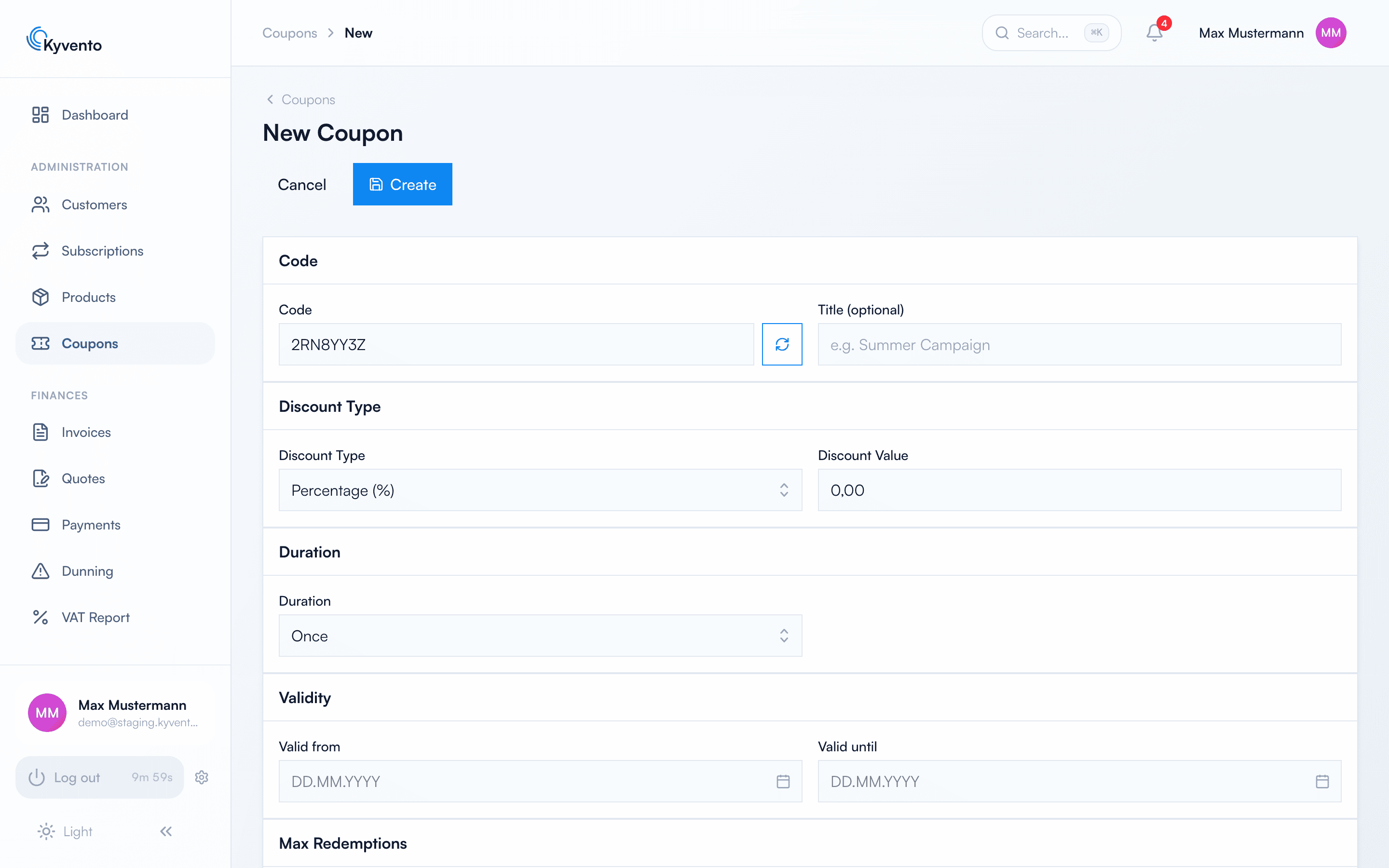
Open "Discount codes" → "New discount code":
- Code – the code to be redeemed (e.g. WELCOME10); if you like, Kyvento generates a random code.
- Discount type and value – "Percentage (%)" or a fixed amount.
- Duration – how long the discount applies to subscriptions: One-off (first invoice only), Recurring (a selectable number of billing periods) or Forever.
- Valid from / Valid until – the redemption period of the code.
- Max. redemptions – a quota for campaigns (empty = unlimited).
- Minimum order value (EUR) and "First purchases only" – to control who may use the code.
- Product identifiers – restricts the code to specific products (empty = all). Enter the public product identifiers in the format
prd_…, comma-separated. - "On plan change" – what happens to an active redemption when the subscription changes plan: "Require re-entry (recommended)" ends it and keeps the code valid, "Carry over" keeps it (provided the product selection includes the new plan), "End" uses up the code for this subscription.
Where codes are redeemed
- Your customers enter the code in the checkout – the discount is immediately visible in the price.
- Your team applies codes in the "Add subscription" dialog (the "Discount code" field in the first step).
Managing discount codes
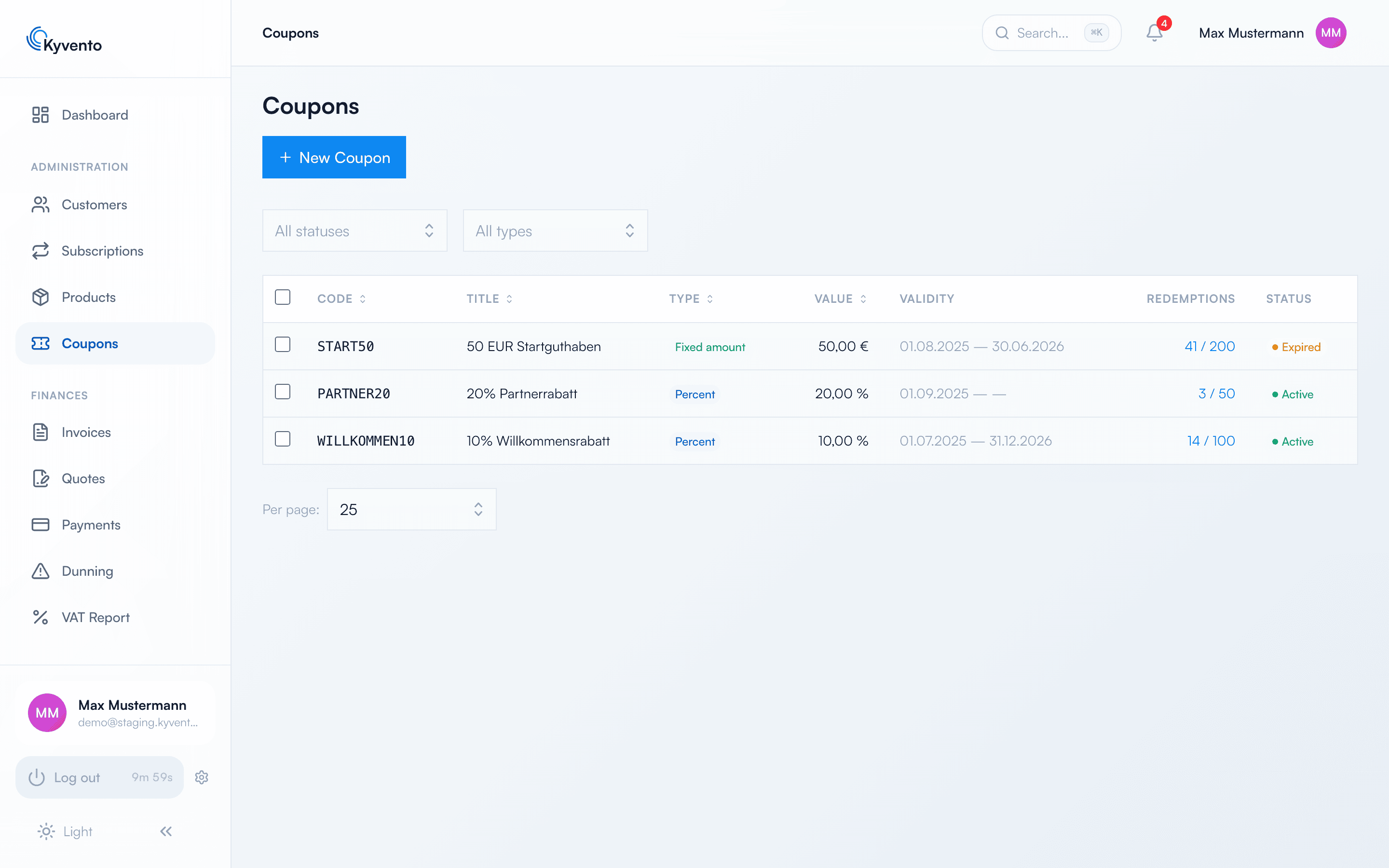
The overview shows the code, type, value, validity, uses (e.g. "3 / 100") and status. Click to open the details with all redemptions – including the customer, status and associated invoice. Deactivating stops new redemptions immediately; discounts already running on existing subscriptions remain in place.
Next steps
- Understand how a discount affects subsequent invoices – see Billing cycles and key dates