Undeliverable e-mail addresses
Overview
Kyvento marks a customer's e-mail address as "Undeliverable" as soon as the mail service has reported that the customer cannot be reached there. From that point on, Kyvento sends no further e-mails to that address — no invoices, no dunning notices, no notifications. That protects your deliverability overall: whoever keeps sending to dead addresses damages their reputation with every receiving mailbox.
When an address counts as undeliverable
The flag is only set on permanent failure: the address does not exist, the receiving server rejects it permanently, or the recipient reported the message as spam.
Temporary problems do not cause it — a full mailbox or a briefly unreachable server is simply retried automatically.
Where you see the flag
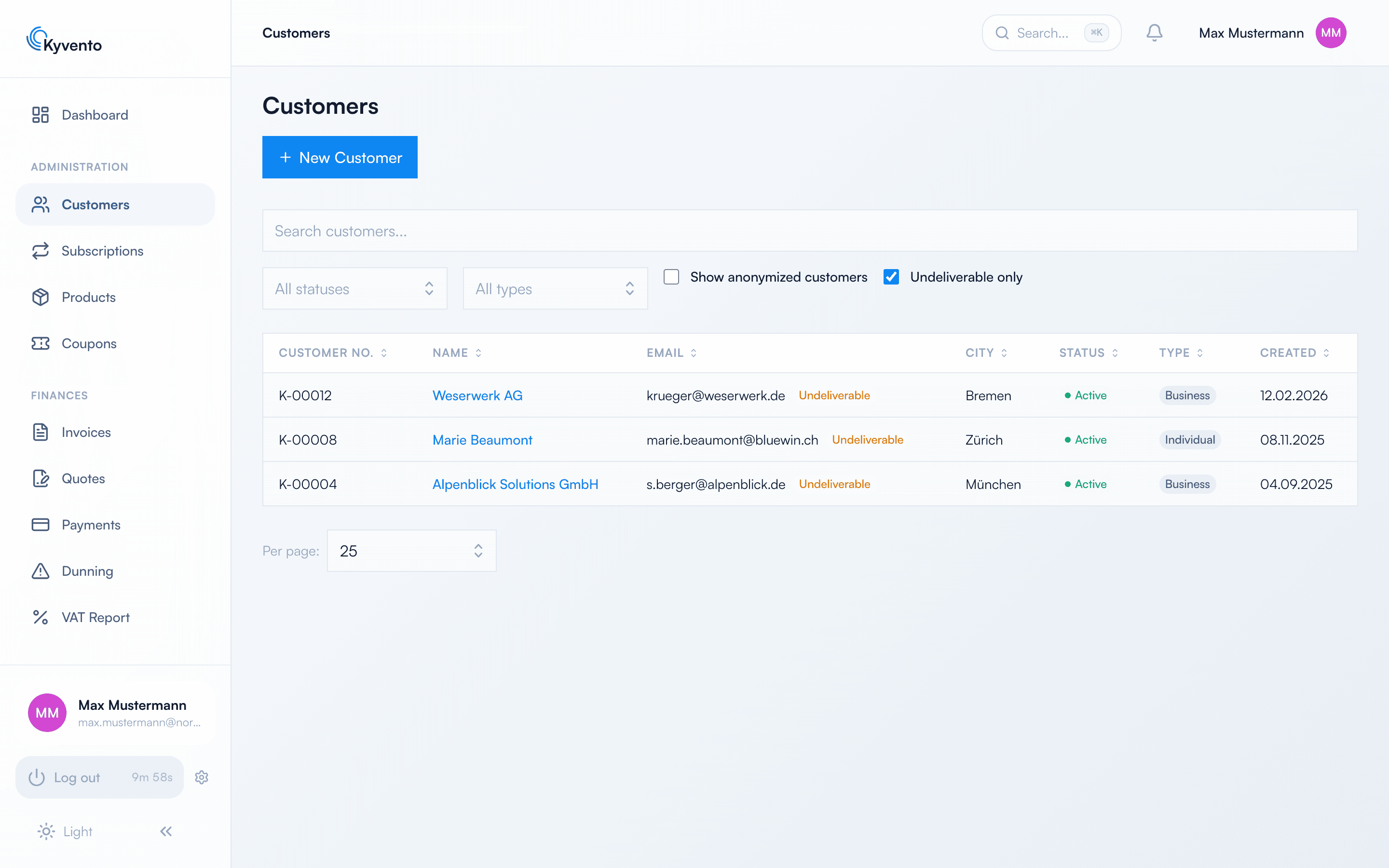
- In the customer list and the customer details, next to the e-mail address. With the "Undeliverable only" filter, the list shows affected customers exclusively.
- In the email log with the status "Suppressed (undeliverable)". Nothing is silently lost — you see every message that was not sent because of the flag.
How to get the address unblocked
Two routes lead out of the block, and they differ fundamentally:
- Correct the address. Any change to the e-mail address lifts the flag automatically — whether you change it in the customer record or the customer updates it themselves in the customer portal. That is the right route for a typo or an outdated domain.
- Release the address again. If the address is correct and works once more — because the mailbox was reactivated — click "Release address again" in the customer details. If delivery fails permanently again, the flag is set again.
If the address cannot be clarified at all, reach the customer by phone or post and obtain a valid one.
Important for understanding: the flag attaches to the address, not to the customer. Within your account, a blocked address is blocked for every customer using it — and a release accordingly applies to all of them at once.
What this means for dunning
A suppressed address no longer receives dunning letters. Dunning continues regardless: levels escalate on schedule, dunning fees accrue, and a subscription is suspended as foreseen — the customer simply learns none of it.
That is the dangerous part of this constellation: from the customer's point of view nothing happens, from the system's point of view the case escalates. Treat an undeliverable address as a prompt to reach the customer by another route before the next level falls due.
So that nothing escapes you
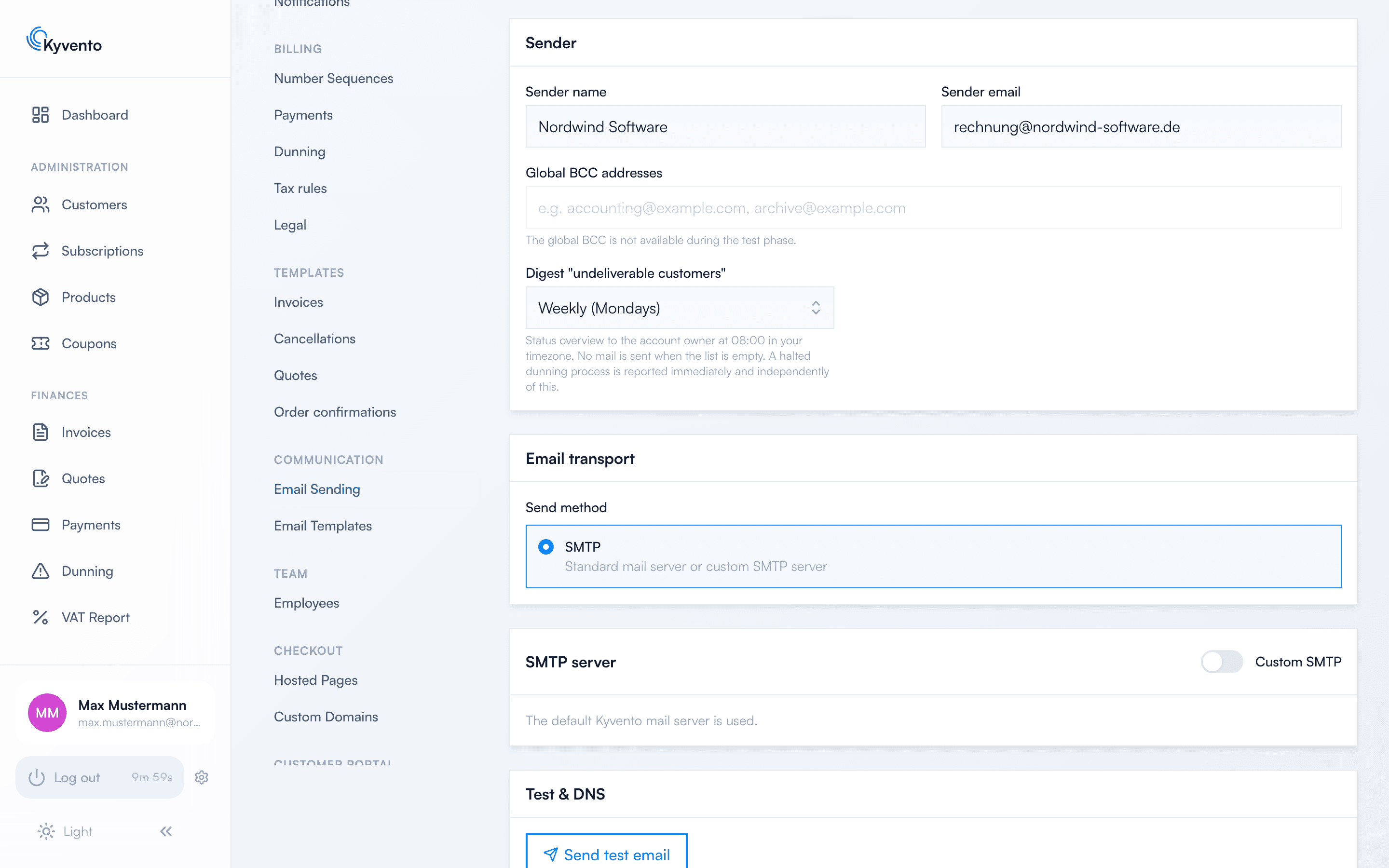
The Digest "undeliverable customers" setting under Settings → "Email Sending" sends the account owner a regular overview — daily or weekly, with weekly as the default. The message names the affected customers and links to the correspondingly filtered customer list. If there are no undeliverable customers, no message is sent.
If your own address is affected
If the account owner's own address is undeliverable, neither the notification nor the digest would arrive. The app therefore shows a notice on the dashboard that cannot be dismissed — "Your own e-mail address is undeliverable" — with the "Release my address again" button. The notice disappears as soon as the address is deliverable again.
Next steps
- Improve your domain's deliverability — see Sending invoices by email
- Set up dunning — see Enabling automated dunning