Usage-based billing
Overview
With usage-based billing, you charge for what your customers actually consume – API calls, storage, working hours or any other unit. Kyvento collects the usage per billing period and bills it automatically with the next invoice.
Product prerequisites
- Select a quantity-based pricing model: "Per unit", "Tiered" or "Volume-based".
- Define the "Quantity aggregation" – how multiple reports within a period are combined:
- Sum – all reports are added up (e.g. API calls consumed)
- Maximum – the peak value counts (e.g. maximum number of users)
- Last value – the most recent meter reading counts (e.g. storage in use)
Reporting usage
- Automatically via the API – your system reports usage via
POST /api/v1/usage-data(including retroactively). You'll find details and examples in the API documentation. - Manually – on the subscription detail page, the "Usage" tab, via "Record usage manually".
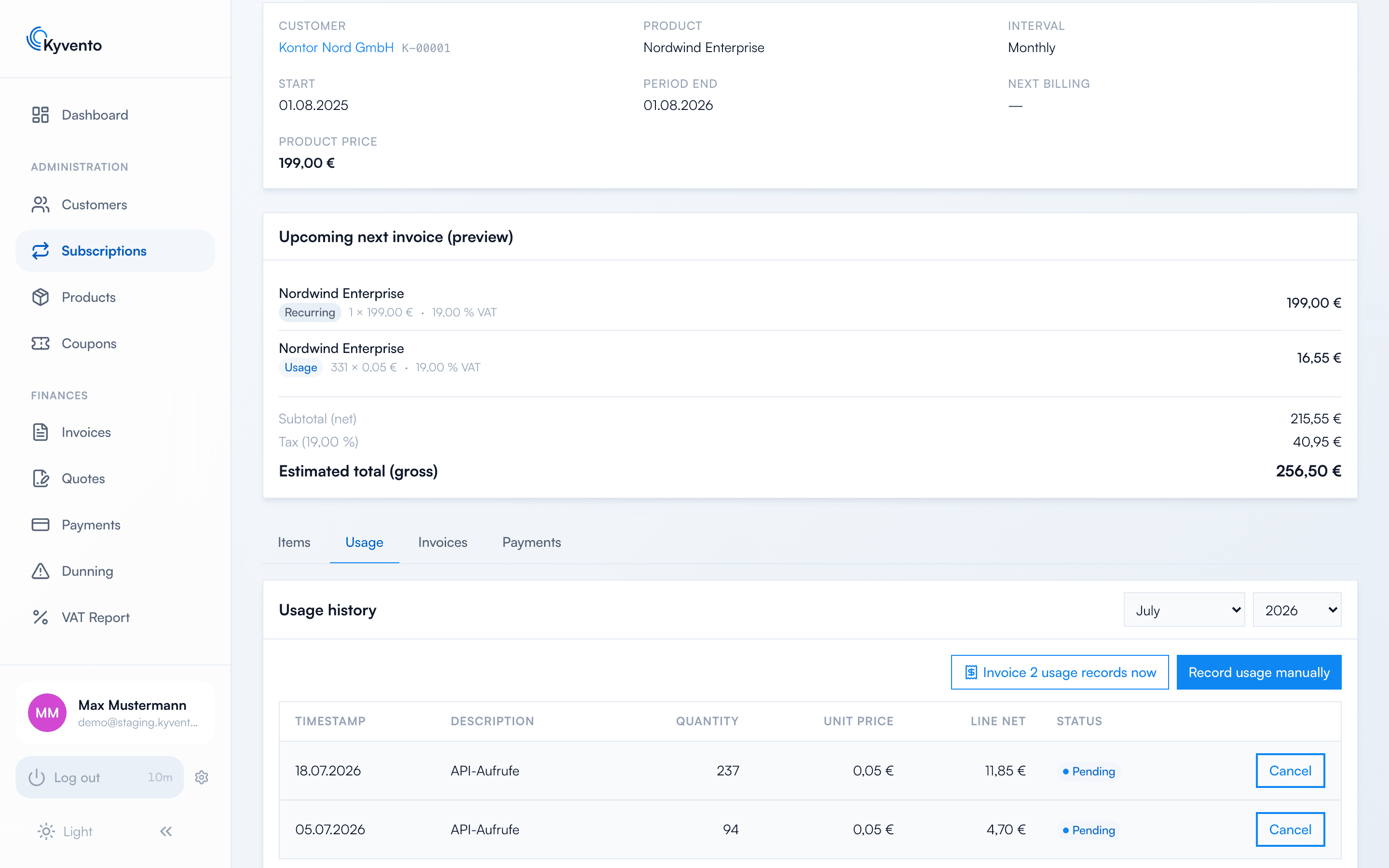
Correcting an incorrect usage entry
Whether you can correct an entry depends solely on whether it has already been billed:
- Not yet billed (status "Open") – cancel the entry in the usage history. It switches to "Discarded" and no longer flows into any invoice. The entry does not disappear; it remains traceable as discarded.
- Already billed – there is no route via the usage record any more. Billed usage sits on a finalised invoice, and that invoice is no longer changed retroactively. Correct the document instead, via cancellation or a correction invoice — see Credit notes and cancellations.
Billing the usage
All open usage in a period automatically flows as a line item into the next regular subscription invoice. The usage history shows each entry with its status – Pending, Invoiced (with an invoice reference) or Voided. For immediate interim billing, use "Bill usage now".
Special case: cancellation
For an immediate cancellation with open usage, you decide in the dialog: "Create a final invoice, then cancel" or "Discard usage and cancel immediately" – so that no revenue is accidentally lost.
Transparency for the customer
In the customer portal, the end customer can view their reported usage, provided you have enabled the "View usage" portal permission.
Next steps
- Choosing the right price tiers – see Pricing models: monthly, yearly, usage-based