Integration with accounting software (Lexoffice, sevDesk)
Overview
Kyvento focuses on billing – your ongoing bookkeeping (bank reconciliation, document management, annual accounts) deliberately stays with your accounting software or tax firm. There is no ready-made one-click integration with Lexoffice or sevDesk; this article shows the three routes by which your data reliably gets there anyway.
Route 1: the DATEV export – the standard route with a tax firm
The DATEV export delivers a posting batch in EXTF CSV format that DATEV systems read directly. Some accounting programs can import DATEV posting batches too – whether yours does is stated in its documentation. Details in the article Setting up the DATEV export.
Route 2: CSV exports – when you do the bookkeeping yourself
On the "Exports" page (sidebar, "System" group) you request your data as CSV; every data type has its own tile. CSV can be imported into practically any software or processed further in a spreadsheet.
The documents themselves you download as PDFs from the invoice detail page. The PDF already carries the embedded e-invoice data – see E-invoicing: XRechnung and ZUGFeRD.
Route 3: API and webhooks – when it should run automatically
For an ongoing integration, Kyvento provides a REST API and webhooks. Under Settings → "API Tokens" you create the access key with which your own scripts or a middleware service fetch invoices, customers and payments. Under Settings → "Webhooks" you register a URL that Kyvento notifies on events – your system then does not have to poll.
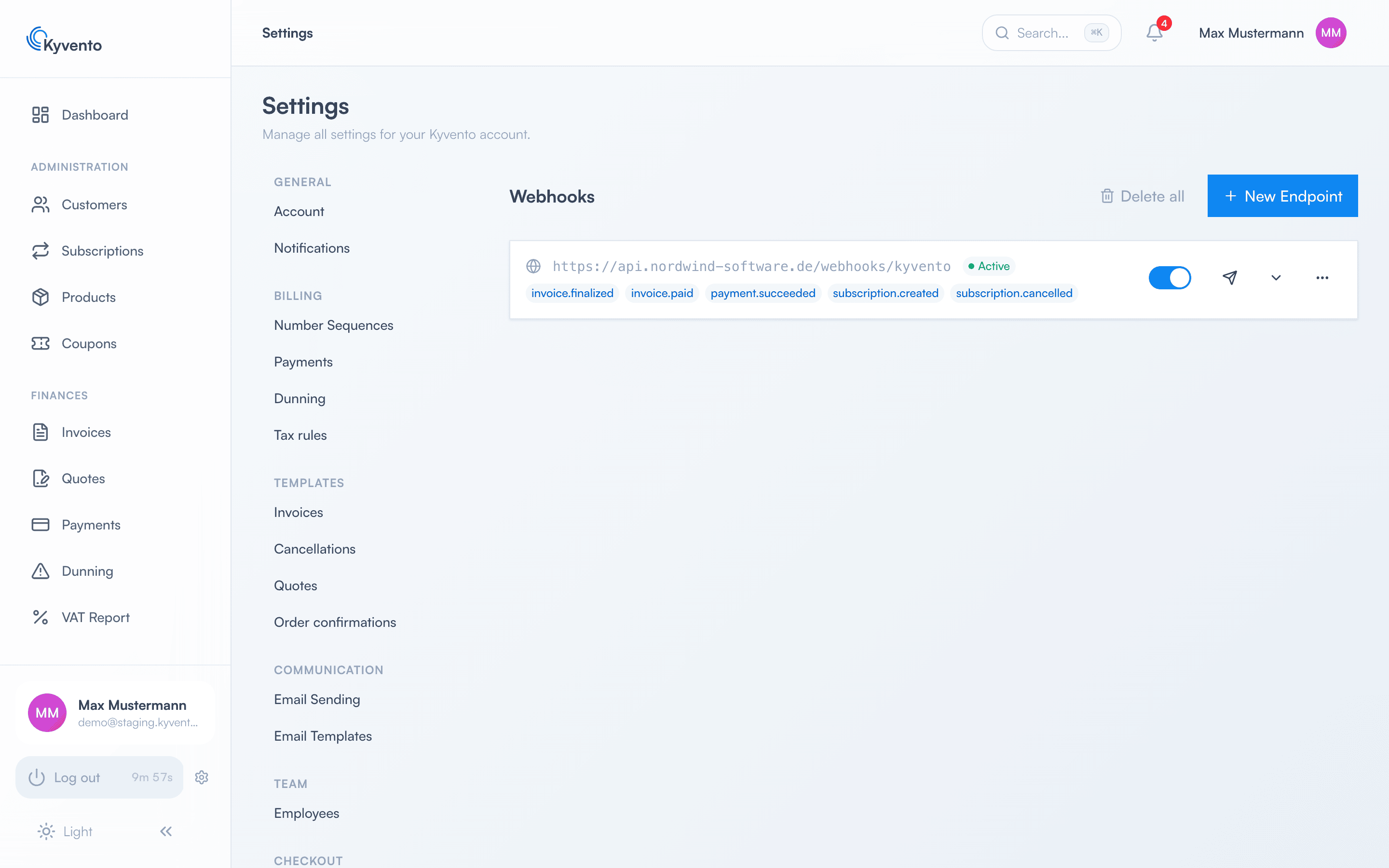
Lexoffice, sevDesk and comparable services offer APIs of their own. A small middleware service connecting both sides is therefore possible – the effort is one-off, after which the data flows by itself. The details are described in the "API & Webhooks" category.
Which route suits you?
- Your tax firm does the bookkeeping: a monthly DATEV export – no technical effort, established process.
- You do it yourself: CSV exports at a fixed interval, PDFs as needed.
- It should run automatically: an API integration with webhooks.
Good to know
- All exports are read-only – they change no data and can be repeated safely.
- Record the handover route you chose in your procedural documentation (see Creating a procedural documentation).
Next steps
- Posting batch for your tax firm – see Setting up the DATEV export
- Set up API access – see the "API & Webhooks" category