Adding setup fees
Overview
With a setup fee, you charge one-off starting costs – for onboarding, data migration or hardware provisioning, for example – directly when the contract is concluded, on top of the recurring subscription price.
Configuring the setup fee
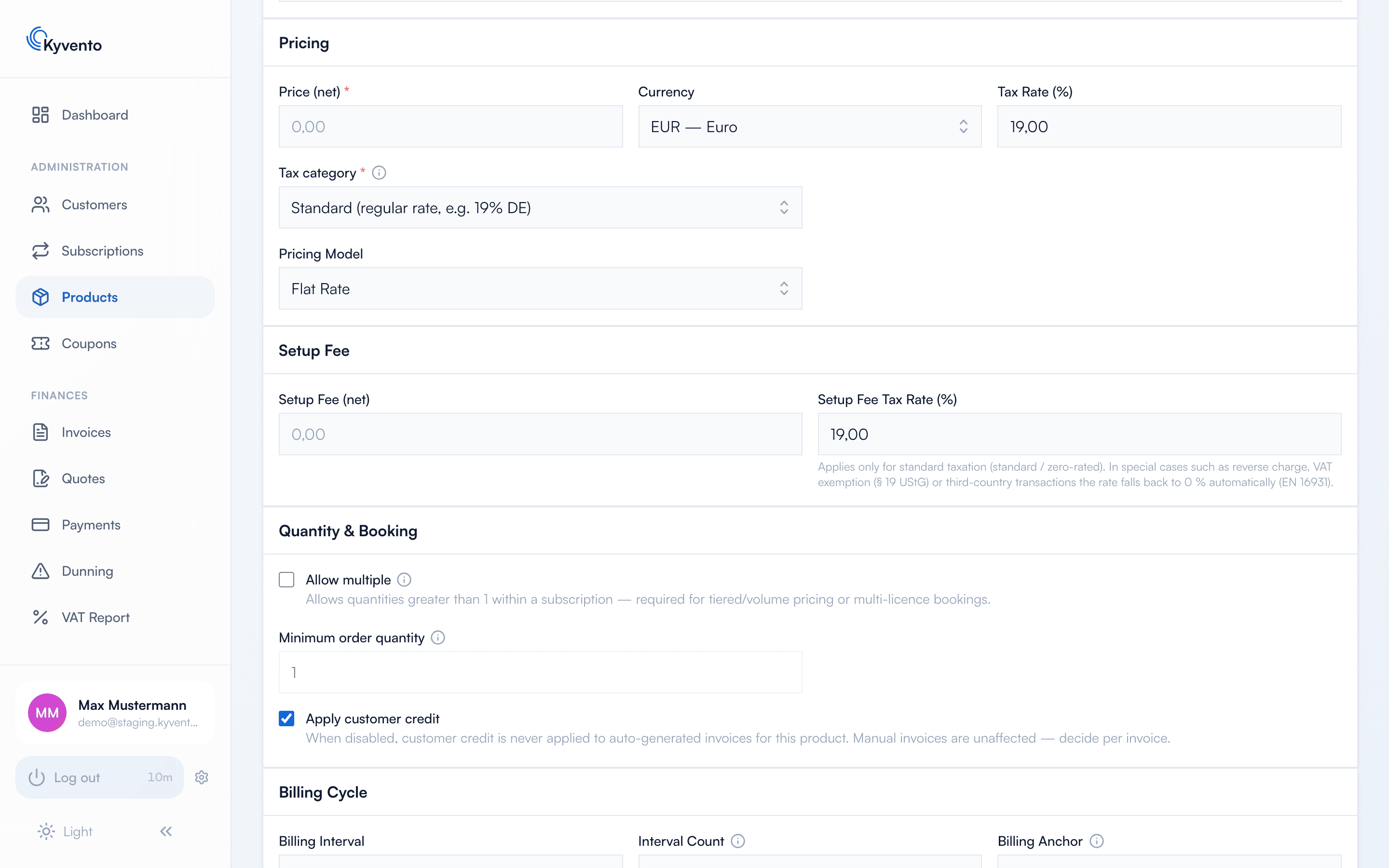
In the product form ("Products" → open the product → "Edit"), you'll find the separate "Setup Fee" card below the "Pricing" card, with two fields:
- Setup Fee (net) – the one-off amount
- Setup Fee Tax Rate (%) – can differ from the subscription's tax rate
You maintain the line-item text separately in the "Texts" card, in the "Setup Fee Description" field – multilingual, like the other product texts.
How the fee is calculated
The setup fee appears as a separate one-off line item on the first invoice of the subscription – all subsequent invoices contain only the recurring subscription price. On the invoice, the line item is clearly separated from the subscription charge by its description.
The note in the form summarizes the tax logic: the setup tax rate applies in the standard taxation case; for reverse charge, the small-business regulation (Section 19 of the German VAT Act) or third-country exports, Kyvento automatically shows 0% (EN 16931).
Good to know
- The fee applies per subscription concluded – if a customer books a second subscription of the same product, it is charged again.
- For existing subscriptions, a setup fee added later is not charged retroactively.
- Deliberately avoid combining setup fees with free trials – in that case, factor the starting costs into the first billing period.
Next steps
- Charge additional services on an ongoing basis – see Defining add-ons and extras
- Discounts on the first invoice – see Creating and managing discount codes