Downloading invoices (PDF)
Overview
Whether it's a single PDF for a customer query or a full export for accounting — this article shows how to get invoices out of Kyvento.
A single invoice as a PDF
On every invoice detail page, "PDF" downloads the document in its frozen template state — exactly as the customer received it. Later changes to your template therefore no longer affect documents that have already been finalized.
If you need an electronic format instead, create it on the same page via "E-invoice" — details in the article E-invoicing: XRechnung and ZUGFeRD.
Bulk exports
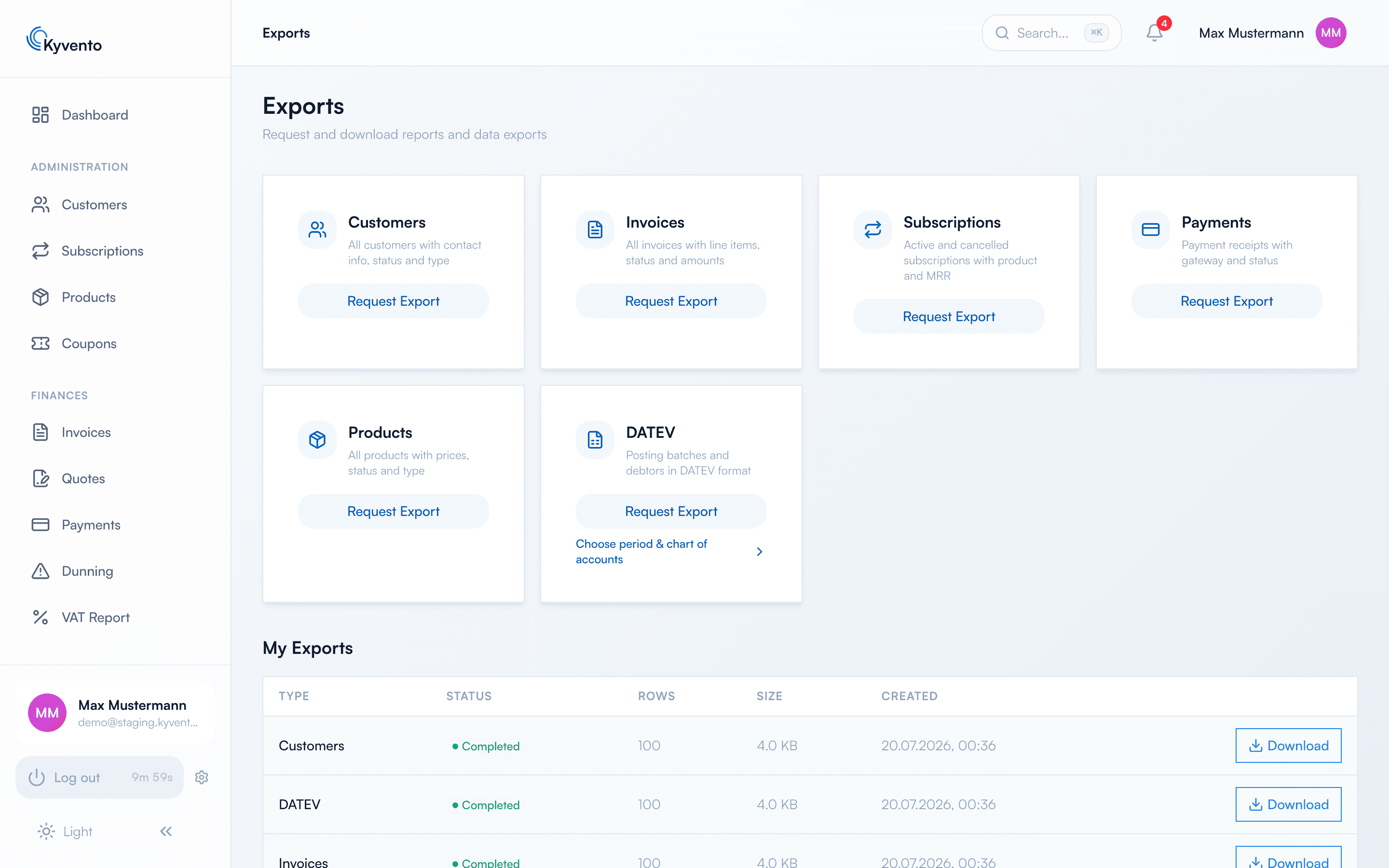
For mass analyses, the "Exports" page (sidebar, "System" section) is the place to go. Via "Request Export" you choose the data set, period and filters; the list below shows the progress.
Two things are worth knowing beforehand:
- The invoice export delivers one row per document with the header data — without the individual line items. It is not suitable for an analysis at line-item level.
- A finished file is available for download for 7 days. After that, simply request the export again.
Recommendation for accounting
For the monthly handover to your tax firm, the DATEV export is the most direct route — it delivers the posting batch, not the document PDFs. How to set it up is described in Setting up the DATEV export. The CSV invoice export is meant for your own analyses in a spreadsheet.
Next steps
- Set up the DATEV handover — see Setting up the DATEV export
- Understand audit-proof archiving — see GoBD-compliant archiving