Your Kyvento plan and usage
Overview
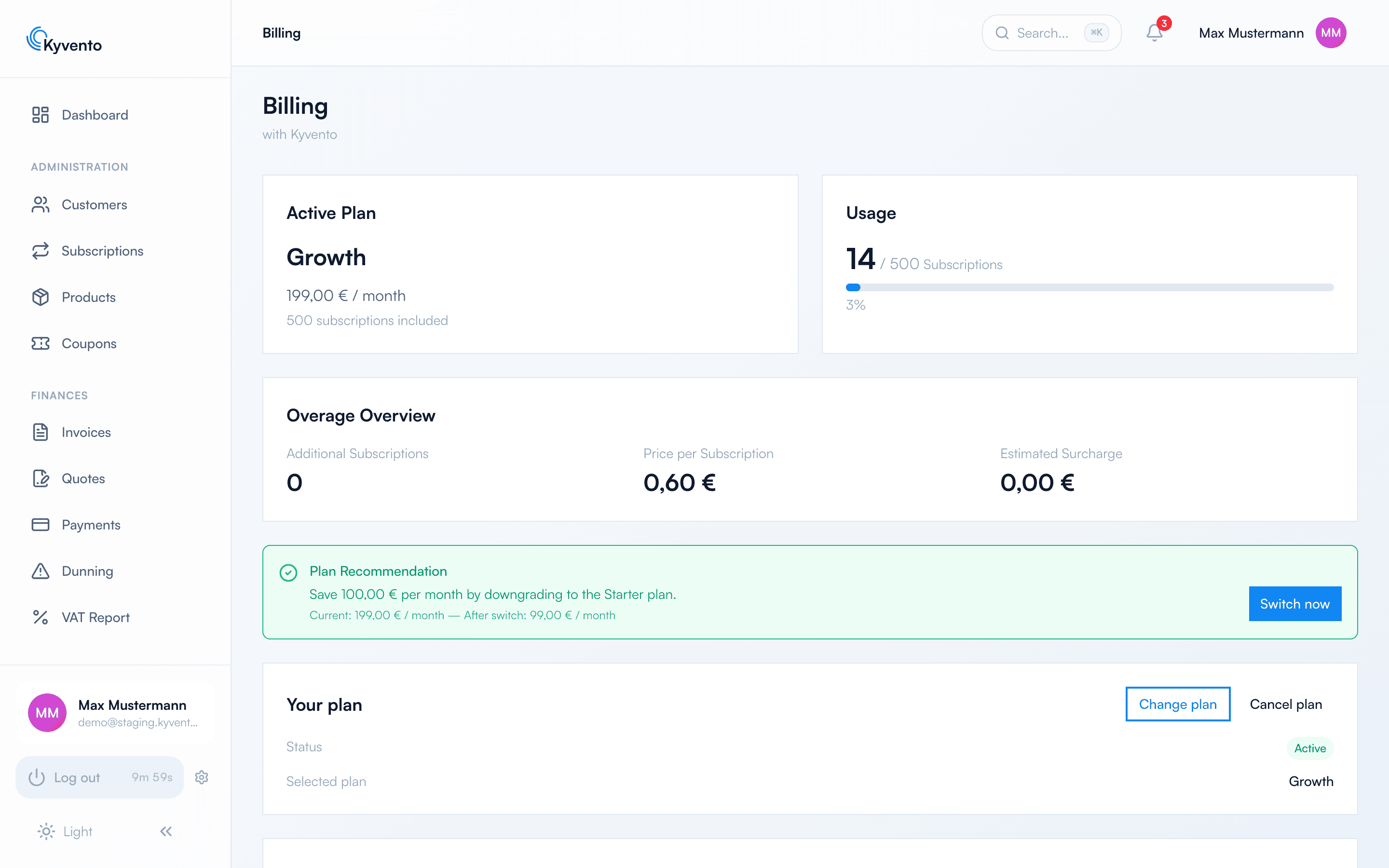
Under "Account" → "Billing" you manage your own Kyvento contract: the active plan, your usage and quota, overage and a plan recommendation when another plan fits your usage better. This article covers the top cards of the page — plan changes, cancellation and invoices have their own articles.
Don't confuse this with your end-customer subscriptions: this page is about what you pay to Kyvento. The subscriptions your own customers hold with you are managed under "Subscriptions".
Active plan and usage
At the very top you see two cards side by side: the active plan on the left, the usage indicator on the right.
- Trial: The plan card shows "Trial" with the "Trial period" badge. Restricted limits apply during the trial; the end date is shown under "Trial ends on".
- Paid plan: Name, price (per month or year) and the number of included subscriptions are shown. An active promotional discount appears as a green note – details below; plans that can no longer be booked carry a "Legacy" badge.
Term, billing interval and cancellation rule
Further down the same page, the "Your plan" card lists your contract's current terms: the status, the billing interval (monthly or yearly) and the date of the next renewal. During the trial it states when your first billing period begins instead.
Below that stands the cancellation rule for your billing interval, verbatim: with monthly billing the contract renews by one month at a time and can be cancelled at any time to the end of the current billing month. With yearly billing the term is 12 months, renews by a further 12 months and can be cancelled to the end of the term. It is the same text you saw when ordering — Kyvento maintains it in a single place so that the order and the contract overview cannot drift apart.
After a cancellation, this card no longer names a renewal date but "Active until" with the effective date, and below it "Data export available until" — the window in which you can still download your data (see Changing or cancelling your Kyvento plan).
Quota and warnings
The usage display tracks how many of your included subscriptions are already taken. From 80 % utilisation onwards, Kyvento warns you; once the quota is full, every further subscription is billed as overage — the progress bar changes colour accordingly. During the trial, the notices instead ask you to move to a paid plan in good time. If your account is suspended over unpaid invoices, an additional red suspension notice appears.
Overage
As soon as you create subscriptions beyond the quota, a dedicated card shows the overage: the number of additional subscriptions, the price per subscription and the expected surcharge. Overage is billed based on usage with your next invoice — your business keeps running without interruption even above the quota.
Promotional discounts and how long they last
If a promotional discount applies to your contract – the early-access discount, for example – the plan card shows the regular price struck through, the reduced price next to it, and a green note naming the promotion below.
The discount period is promised to you personally and is not tied to the run time of the promotion:
- It starts when your paid term begins and covers the promised number of months. After that the regular price applies again – even if the promotion is still running for new customers.
- Conversely, the end of the promotion does not cut your discount short: percentage and duration are recorded when your contract starts, and later changes to the promotion do not affect running contracts.
- While your account is paused, the discount period does not advance, because no billing periods elapse during that time.
- With annual payment the discount applies pro rata: three promised discount months reduce an annual charge by three twelfths of the discount.
What counts is always the price shown on the card – it is derived from the same calculation as your invoice. The expiry date in the green note, by contrast, refers to the promotion itself, not to your personal discount period.
Plan recommendation
If Kyvento detects that another plan would be cheaper for your usage, a green recommendation banner appears with the possible savings and a "current vs. after switch" comparison. "Switch now" opens the plan selection directly.
Next steps
- Change or end your plan — see Changing or cancelling your Kyvento plan
- Payment methods and invoice history — see Payment methods and your Kyvento invoices