Contacting support
Overview
Questions, problems or suggestions? You can reach our support team directly from within the app via the built-in ticket system — including file attachments and notifications about new replies.
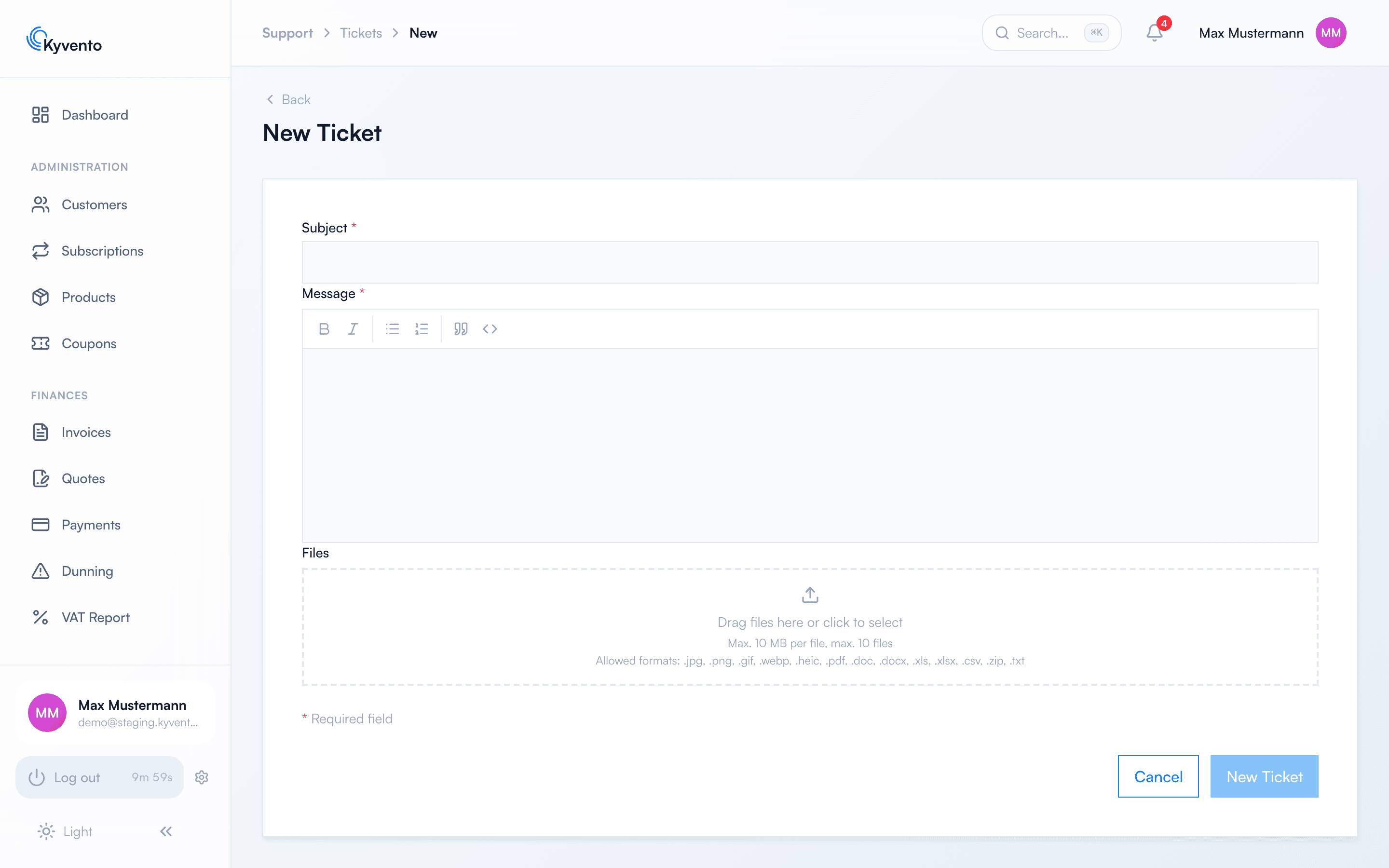
Create a ticket
- In the sidebar under "Account", open "Support".
- Click "New ticket".
- Describe your request with a subject and a message. Attach screenshots or documents by drag-and-drop; the dialog states the permitted formats and sizes.
- Click "Send ticket" and confirm the prompt. If you want to continue writing later, keep the text with "Save draft" instead; the draft does not store attachments – you add them before sending.
How the reply works
- As soon as a new reply arrives in the ticket, you receive an in-app notification. For an individual ticket you can mute it in the ticket itself.
- For tickets created in the app, the email about new replies is switched off at first. You can switch it on for an individual ticket in the ticket itself with "Notify me by email about new replies", or for all tickets of your account in the ticket overview with "Always notify me by email about new replies". Both settings apply to you personally only – other users of your account decide for themselves.
- In the ticket thread you reply directly — or wrap up the matter in one step with "Reply and close ticket".
- You cannot reopen a closed ticket yourself – the close dialog points this out: "No further reply will be possible afterwards." If the topic comes up again after all, create a new ticket.
Tips for fast help
- Describe what you expected and what happened instead.
- Name the affected objects specifically — such as the invoice number or the customer name.
- A screenshot is often worth a thousand words.
If you can't sign in
Should your access be blocked and the way into the ticket system therefore barred, you can reach us by email at support@kyvento.com.
Next steps
- Many answers are available right here in the support area — use the search at the top of the page