Archiving cancelled subscriptions
Overview
Ended contracts shouldn't clutter your daily lists – but their history must be preserved without gaps (GoBD). Kyvento solves this with status filters and an archiving mechanism that deletes nothing and only hides. Archived subscriptions remain viewable at any time via a dedicated filter.
Status filters instead of clearing out
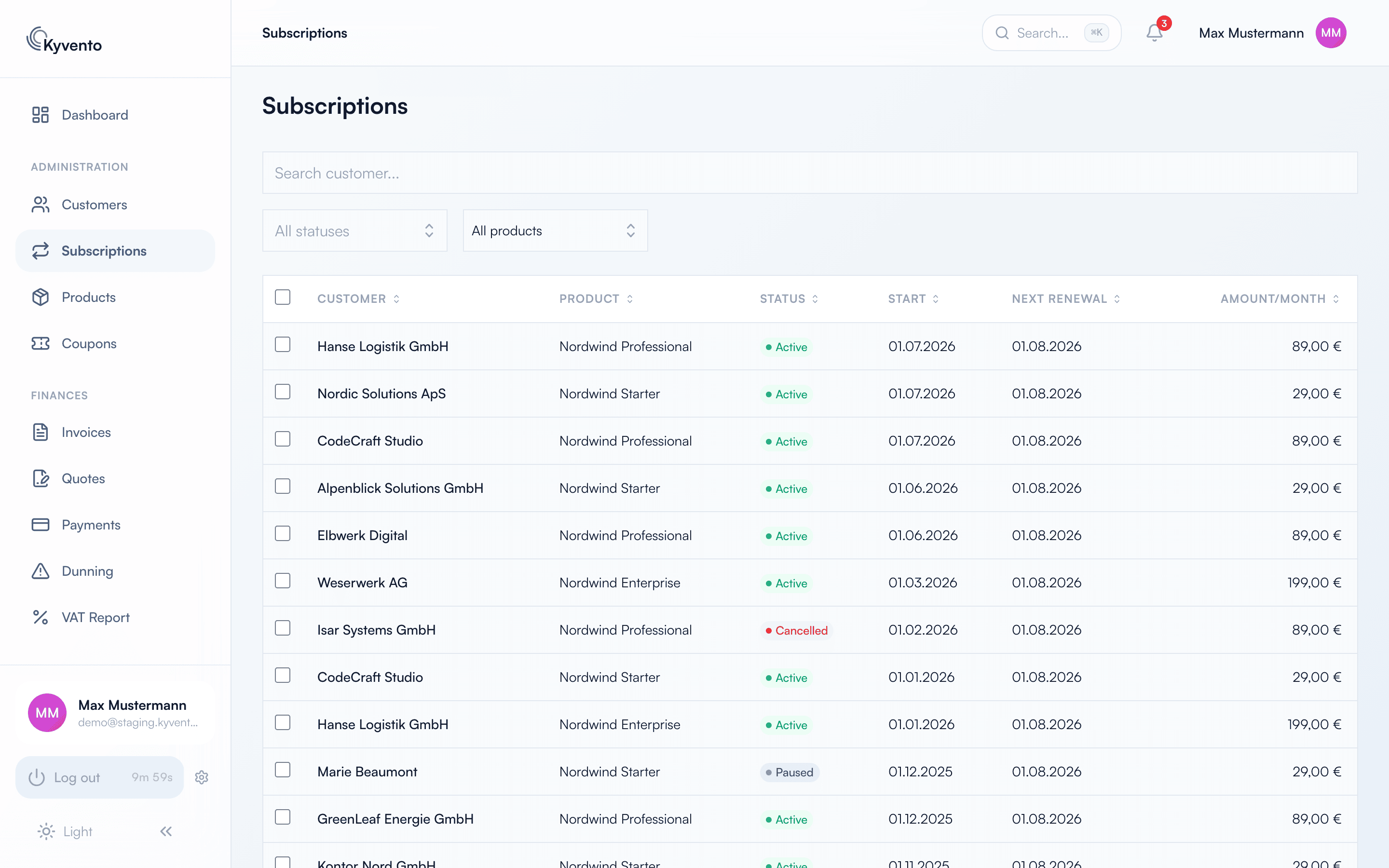
The subscription list ("Management" → "Subscriptions") filters via the status dropdown: All statuses, Active, Trial, Paused, Cancelled, Expired and Archived. Ended subscriptions therefore don't disappear but can be shown and hidden selectively – for day-to-day business, the "Active" filter is usually enough.
Ending or archiving – two different actions
- "End at period end" (subscription detail page): the subscription runs out at the end of the paid period and then receives the status "Expired". It is not archived and remains visible in the overview; the success message states the specific end date. The confirmation dialog summarizes the consequences beforehand.
- "End & archive now" (multi-select in the subscription list): the selected subscriptions are ended immediately – the recurring billing stops instantly – and archived right away. Intended for clearing out old and test data.
Viewing archived subscriptions
Select "Archived" in the status dropdown to see only archived subscriptions – for follow-up questions or audits, for example. Archived contracts carry an "Archived" badge; their detail page still shows all data including the invoice history, but is fully read-only: modifying actions such as changing the plan, pausing or cancelling are no longer available, and there is no multi-select in the archive view.
What is preserved
- The invoices of archived subscriptions remain unchanged and can be retrieved in an audit-proof manner.
- In the event of a later GDPR anonymization of the customer, finalized invoices and the subscription records are preserved; only the personal customer data is made unrecognizable. Anonymization is only possible once the customer no longer has any active subscriptions.
Recommended routine
- Filter the list by "Cancelled" and "Expired" on a quarterly basis.
- End and archive contracts that no longer need to be readily accessible for follow-up questions via the multi-select.
- Anonymize customers without active contracts in a GDPR-compliant way if needed – see Deleting and anonymizing a customer.
Next steps
- Cancellation mechanics in detail – see Managing cancellations
- Audit-proof retention – see GoBD-compliant archiving