Matching incoming payments automatically
Overview
A dunning process must end as soon as the customer pays – without anyone having to remember it. Kyvento therefore couples dunning directly to the payment status of the invoice: every payment that settles an invoice ends the dunning automatically. This article explains the matching paths and their limits.
Automatically matched payments
Payments via the connected payment providers (credit card, SEPA direct debit, PayPal) are posted fully automatically by Kyvento to the associated invoice – including the payments from the customer portal. The shipped dunning texts and email templates contain the direct link to online payment for this (placeholder {portal_payment_url} in the dunning text or {{invoice.portal_pay_url}} in the email template) – in your own texts and templates it is only included if you keep the placeholder. The automatic retry of a dunning level ("Retry payment") is also part of this: if it succeeds, the invoice is paid before a dunning notice arises.
What happens with full payment
- The dunning process ends immediately – the dunning level is reset, and any dunning hold that was set is lifted.
- The invoice disappears from the "Active dunning notices" of the dunning dashboard.
- No manual steps are needed – not even if the payment only arrives at a late dunning level.
Bank transfers: record manually
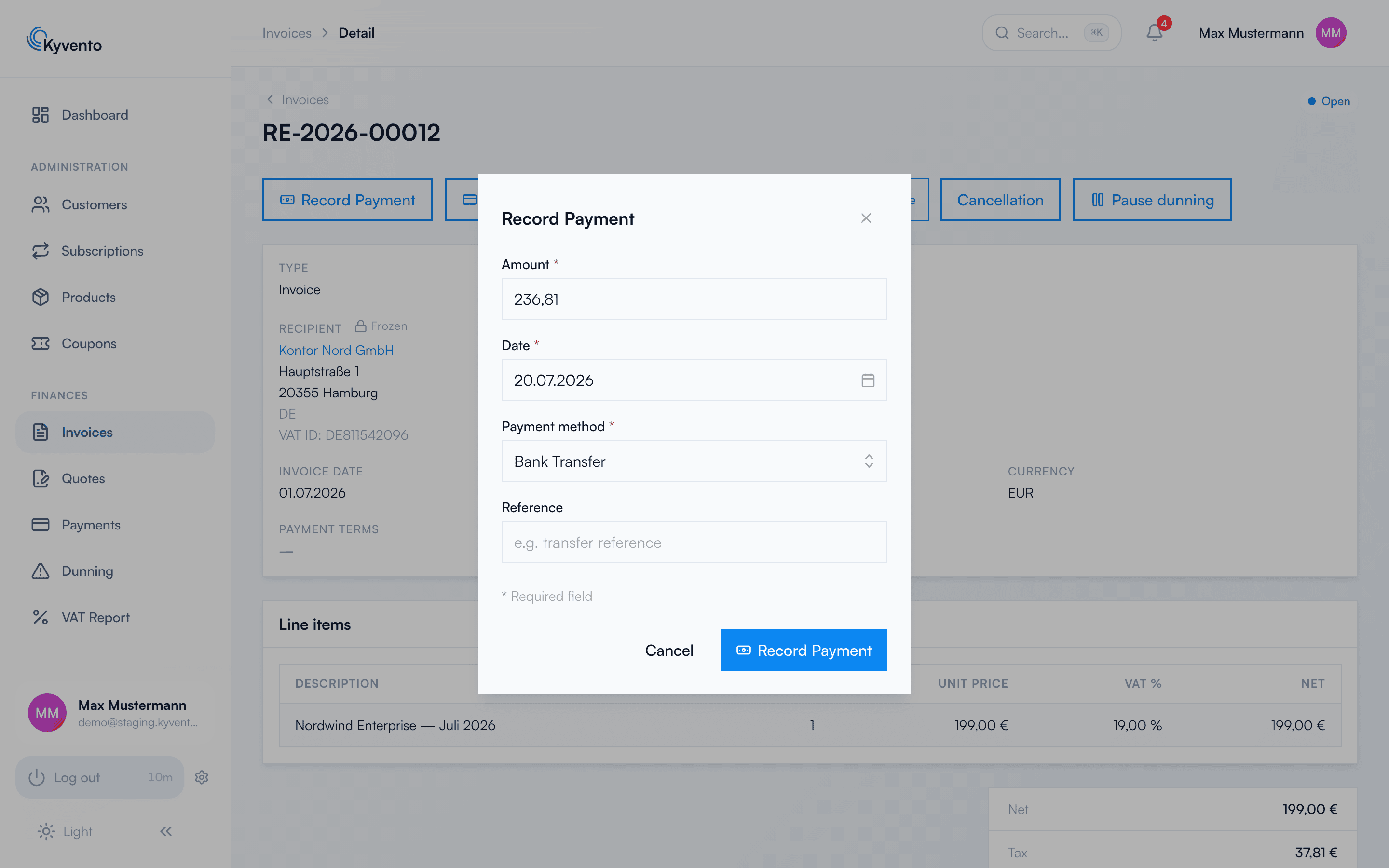
Kyvento does not retrieve bank statements from your bank – there is no banking connection. You therefore record payments made by classic bank transfer on the invoice detail page via "Record payment"; with the full recording, the dunning process ends just as automatically as with a provider payment.
There is one exception for your own SEPA direct debit: under "SEPA direct debit" you can upload the "Feedback from your bank" – either as a bank statement (camt.053) or as CSV. Kyvento posts incoming payments and returns from it. Matching happens solely via the reference of the direct debits you submitted; all other items on the statement – rent, fees, and ordinary customer transfers too – are skipped. The uploaded file is not retained after being read, because it contains the bank details of everyone named in it.
Special cases
- Partial payment: A partial payment does not stop dunning – the invoice remains open and stays on the dunning ladder. For installment arrangements, consider the dunning hold (see Pausing or suspending dunning).
- Customer credit: If allocated credit settles the principal claim, Kyvento stops dunning. However, if a dunning fee is still open, the invoice is not set to "Paid" and the dunning level is not reset – it keeps its dunning status so that the fee remains collectible. The dunning process only ends once the fee has also been settled; without an open fee, the invoice counts as paid immediately.
- Open dunning fees: Incoming payments are allocated in the statutory order (oldest fee first, then the principal claim) – details in the article Charging dunning fees.
Recommended routine
- Record incoming bank transfers promptly – every unrecorded payment risks an unwarranted dunning notice.
- Post bank payments that arrived before the daily dunning run; the run works at night.
- For disputed amounts, use the dunning hold instead of postponing the recording.
Next steps
- Manual payment recording in detail – see Recording payments manually
- Suspend dunning processes selectively – see Pausing or suspending dunning