Customizing dunning levels and texts
Overview
Kyvento works with two separate dunning ladders: one for ordinary late payment and a dedicated one for reversed payments. The number and order of the levels are fixed – everything inside a level is yours to set: deadlines, fee, automation and the text of the dunning letter.
Where the levels live
Under Settings → "Dunning" you will find the "Dunning levels" section. The "Dunning type" field above it switches between the two ladders; you always edit the ladder selected there. Clicking a level expands it.
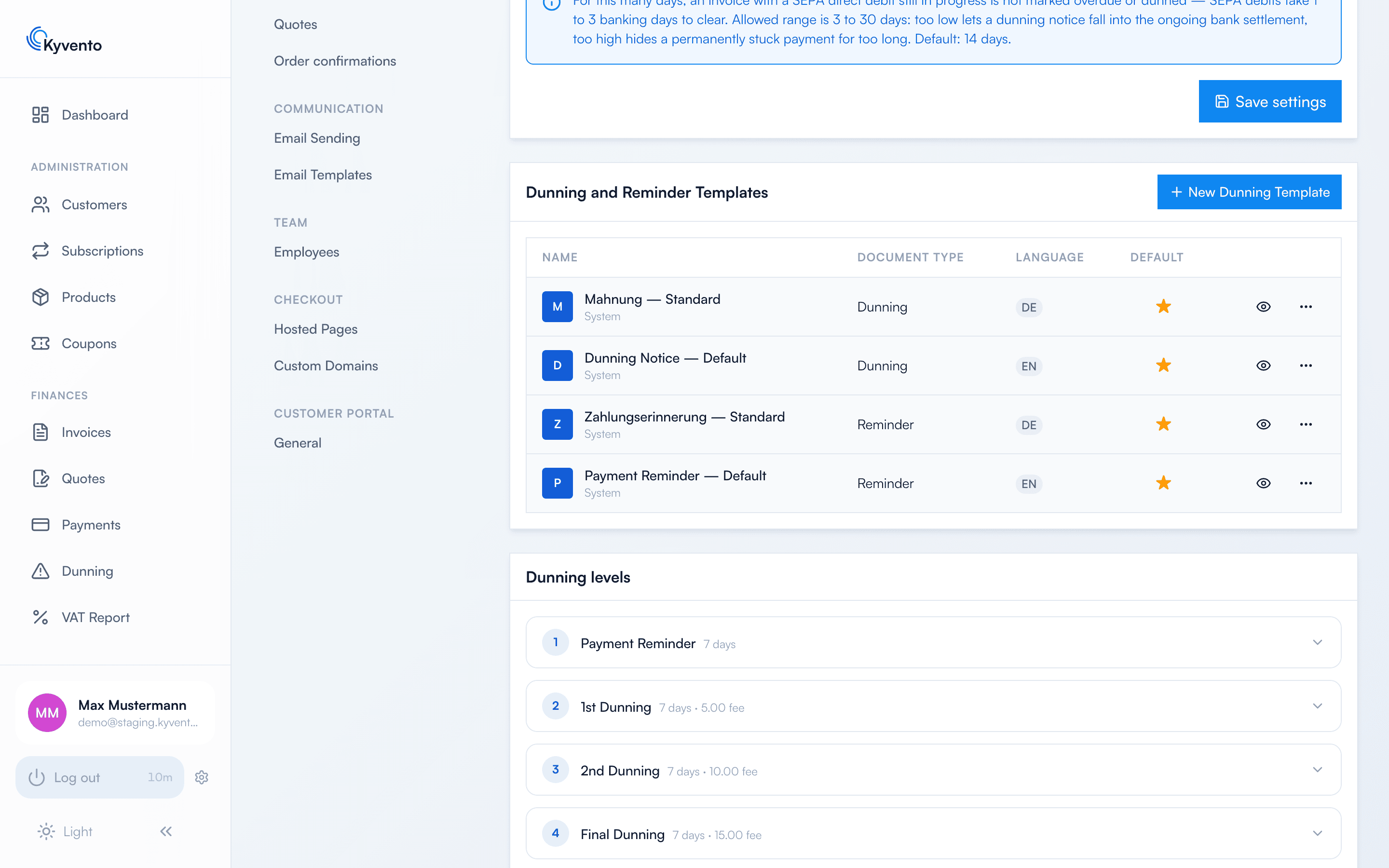
The normal dunning ladder
It has four levels: payment reminder, 1st dunning, 2nd dunning, final dunning. There is no fifth – after the last level the automatic escalation ends and the case waits for your decision (see Debt collection and external providers).
What matters are the defaults that act on their own: out of the box the 1st dunning attempts another collection, the 2nd dunning suspends the associated subscription, and the final dunning marks the receivable as uncollectible. If you do not want that, switch it off in the respective level – before the first invoice goes overdue. Dunning fees, by contrast, are preset to 0 on every level and only apply once you enter an amount (see Charging dunning fees).
Individual levels can be switched off via "Level enabled" – with a consequence that is easy to miss: the dunning run only ever moves up exactly one level. When it hits a disabled level, escalation ends there; it does not skip it. So only switch levels off from the end. Disabling the 2nd dunning effectively leaves you with a one-step ladder.
The chargeback ladder
It applies automatically as soon as a payment that had already gone through is reversed (SEPA direct debit return or card chargeback). The invoice becomes overdue again and runs through this separate ladder of three levels instead of the normal one. Deadlines, fee and texts are maintained here separately – so a returned-debit fee only ever hits genuine chargebacks, not every payment reminder.
"Retry payment" is deliberately off on all three levels by default: collecting again from an account that has just reversed a payment usually only produces the next return – and a second bank charge on both sides. The default texts therefore ask for a bank transfer and for a check of the bank details.
Independent of this ladder, there is the setting "Suspend the subscription immediately on a chargeback": it is on out of the box and suspends the subscription with the reversal itself, that is before the first dunning notice goes out. If you deliver up front and want the customer to keep access until the dispute is settled, switch it off – the receivable remains in any case and is dunned as usual.
Texts and templates
There are two layers for the content, and they do not overwrite each other:
- Subject and dunning text live per level, in both German and English – the customer receives the version in their language. Which placeholders you can use is listed by the editor right next to the text field.
- Templates only determine the PDF layout (letterhead, colors, font). Kyvento ships system templates for dunning notices and reminders; via "New Dunning Template" you create your own. A template replaces neither the subject nor the dunning text.
Via "Preview" you generate a sample PDF for each level – use it to check layout and wording before the first real dunning notice leaves the house.
Recommendations
- Keep the friendly tone of the payment reminder – most payment failures are oversights, not intent.
- Only announce what you will actually follow through on. The default texts of the late levels mention handing the case to a collection agency; if you do not do that, delete the sentence.
Next steps
- Waiting times between the levels – see Setting dunning deadlines
- Fee mechanics in detail – see Charging dunning fees