Dashboard overview: your key metrics
Overview
The dashboard is your home page in Kyvento: it shows the most important metrics of your subscription business at a glance — from monthly recurring revenue to open invoices. This article explains what each metric means.
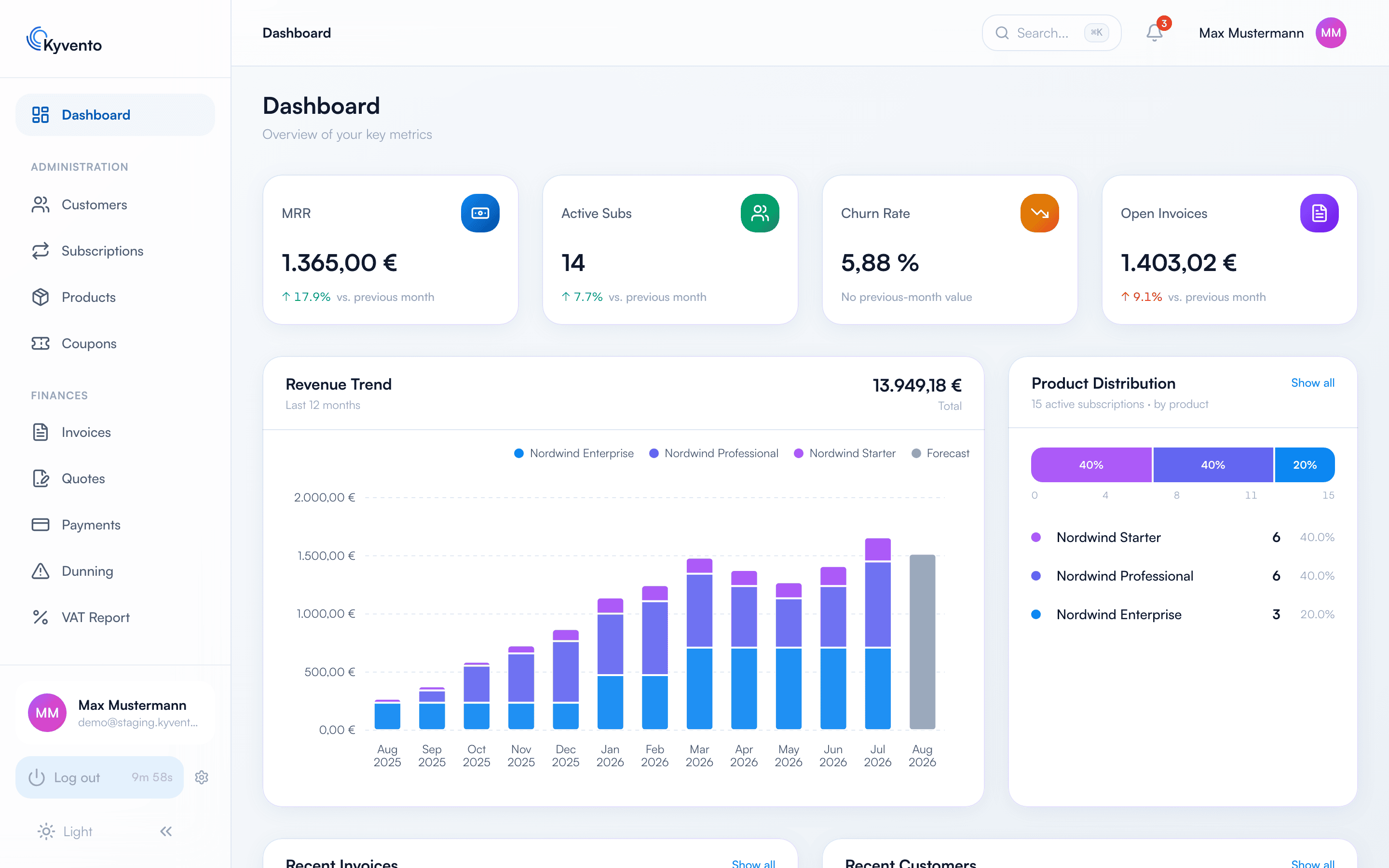
The four metric cards
- MRR (Monthly Recurring Revenue) — your monthly recurring revenue from all active subscriptions, including booked add-ons. Yearly subscriptions are converted pro rata to a monthly basis so the metric stays comparable.
- Active subscriptions — the number of running subscriptions, including subscriptions in trial.
- Churn rate — the share of cancellations in the current month, relative to the subscription base at the start of the month.
- Open invoices — the outstanding amount of all open, partially paid and overdue invoices, including outstanding dunning fees.
The trend below each card compares the current value with the one from 30 days ago; for new accounts it says "No previous-month value" at first. "Open invoices" has a quirk: the card shows the outstanding amount, while the trend below it compares the number of open invoices.
Revenue trend
The chart shows your revenue over the last 12 months as stacked bars — broken down by your top-earning products. Two things to note:
- The current month already combines invoices that have been issued with the incoming payments still expected during the month.
- The gray forecast bar looks one month ahead: expected income from your active contracts as of the next billing date, including active discounts.
Product distribution
The "Product distribution" card shows how your active subscriptions are spread across products — as a count, not as revenue. Via "Show all" you reach the product list.
Latest invoices and newest customers
The two lists at the bottom of the page take you with a click straight to the respective invoice or customer profile — ideal for a quick start to your daily work. "Show all" opens the full invoice or customer list.
Next steps
- Create your plans — see Creating your first plans
- Understand your revenue metrics in detail — see Payment reports and dashboards