Payment methods and your Kyvento invoices
Overview
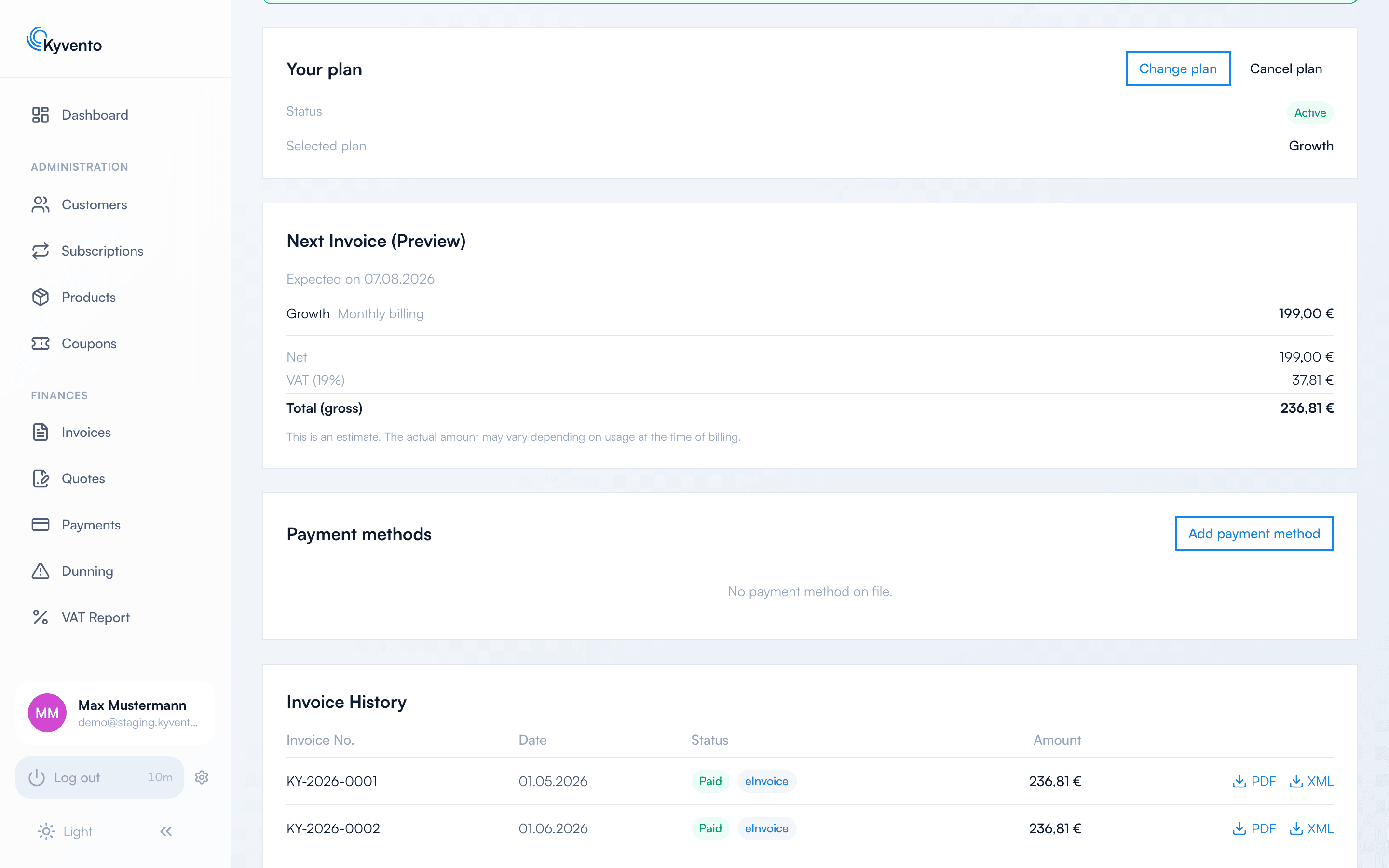
In the lower section of "Account" → "Billing" you manage the payment methods for your Kyvento invoice, see a preview of the next billing and find the invoice history with all previous Kyvento invoices including PDF and e-invoice download.
Managing payment methods
The "Payment methods" card shows your stored payment method — credit card or SEPA direct debit. For Kyvento billing there is always exactly one payment method on file; its details are held exclusively by our payment service provider.
- "Add payment method" opens a secure form. Payment data is transmitted encrypted directly to the payment provider and never reaches the Kyvento servers in plain text.
- "Change" opens the same form for the method already on file. If you confirm a different or a new method there, it replaces the previous one — future charges are then collected from it. There is no separate default selection.
- "Remove" deletes the stored method. This is not possible while an active plan or an open invoice exists.
Open payment and 3-D Secure
If a charge was cancelled or your bank requires re-authentication, a banner "Open payment" with the action "Pay now" appears at the top of the page. It lets you complete the confirmation; after a successful payment your plan or account is reactivated automatically.
Preview of the next billing
If your account is billable, a card shows the preview of the next billing with the individual line items (plan, any overage), net, tax and total as well as the expected billing date. After a cancellation the card is titled "Final invoice (preview)".
The preview is an estimate — the actual amount may differ depending on usage at the billing time. If your account is exempt from billing, a green notice with a validity date appears instead.
Invoice history
At the very bottom a table lists all your Kyvento invoices (plan and overage invoices) with number, date, status and amount:
- Status: "Paid", "Open", "Partially Paid", "Past Due" or "Uncollectible" (a receivable that has finally defaulted and only remains visible in the history). If an e-invoice exists, an "e-invoice" badge marks the row.
- Download: Use "PDF" to download the invoice; for e-invoices an "XML" (ZUGFeRD/XRechnung) is additionally available for machine import into your accounting.
Next steps
- Process e-invoices in your accounting — see E-invoicing: XRechnung and ZUGFeRD
- Understand plan, quota and overage — see Your Kyvento plan and usage