Invoice numbers: gapless and sequential
Overview
Invoice numbers must be sequential and unique (Section 14 of the German VAT Act) – gaps raise uncomfortable questions during tax audits. Kyvento assigns numbers automatically via number sequences and ensures gaplessness technically. This article explains what you can configure, when you have to do it, and why no gaps occur.
What you configure – and what becomes fixed
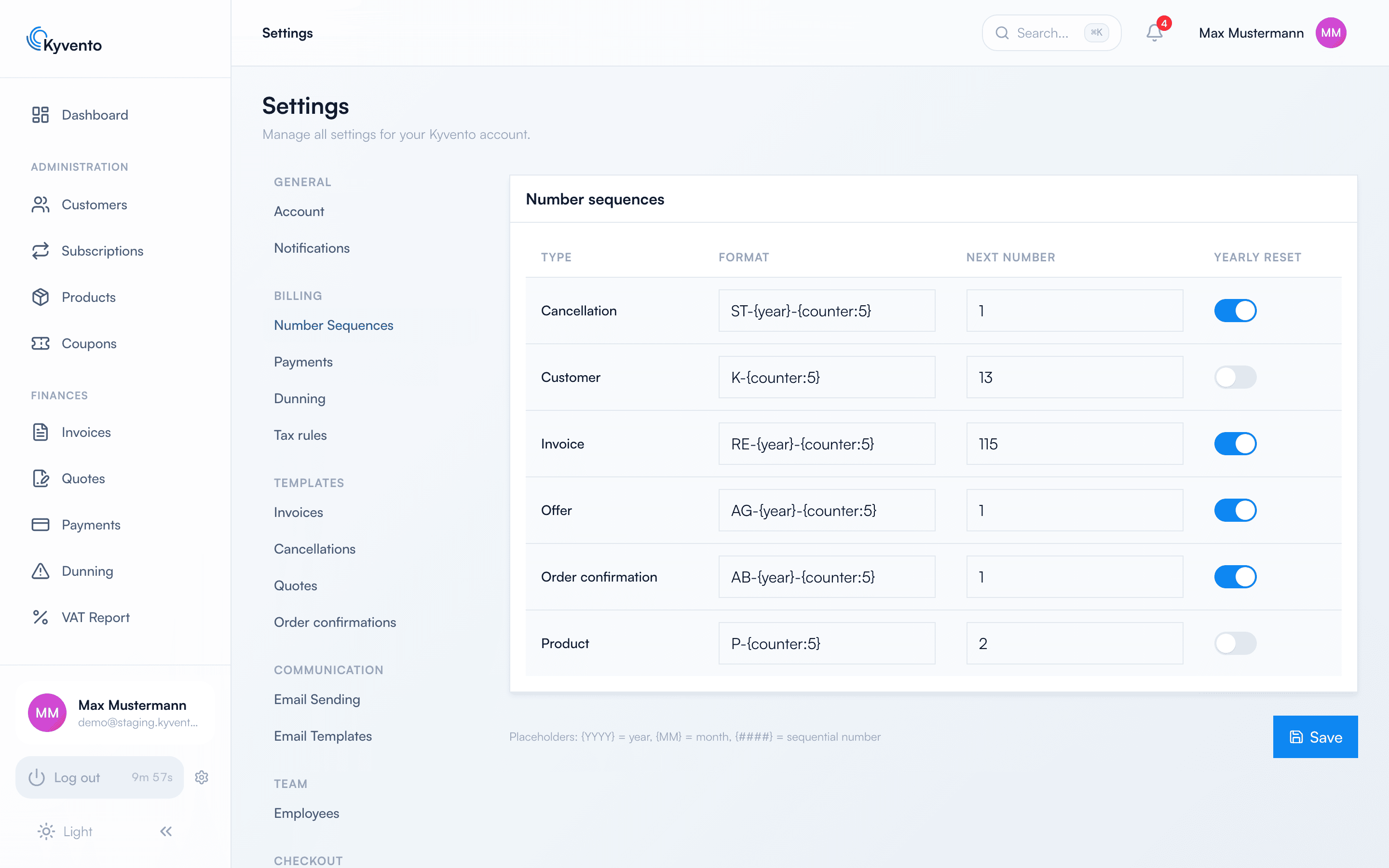
Under Settings → "Number Sequences" every document type keeps its own sequence – invoices, cancellations, quotes, customers and more. Common formats with a prefix, year and five-digit counter are preset; invoices reset annually out of the box.
You can change the format at any time – in the "More settings" section below the table. Numbers already issued stay as they are; the next number follows the new format. A sequence with a yearly reset must keep the year in its format, otherwise the years could no longer be told apart.
The yearly reset, by contrast, is locked permanently by Kyvento as soon as the first document number has been issued from a sequence (Section 146 of the German Fiscal Code) – the switch then shows a notice. A change would restart the counter and could issue an already assigned number a second time. So make this one decision before you start.
The next number stays editable, but only upwards: Kyvento prevents turning it back, because a number already issued must never be created a second time.
Why no gaps occur
- The number is only drawn at finalisation. Drafts carry none – so a discarded draft leaves no gap.
- Assignment and document belong together. The number is drawn inside the finalisation operation; if that fails, the counter is rolled back too.
- Concurrency is handled. Even when the nightly billing run finalises many invoices at once, neither duplicates nor jumps occur.
- The year follows the document date, not the day of finalisation – the series stays consistent across the turn of the year.
Cancellations and dunning notices
A cancellation never changes the number of the original: the cancellation document gets its own number from its own sequence, and the original stays unchanged. Dunning letters and payment reminders deliberately receive no invoice number at all – they are not invoices within the meaning of Section 14 UStG and do not touch your sequences.
Good to know
- Number sequences apply per Kyvento account – if you run several accounts, each keeps its own series.
- With the yearly reset, the counter starts at 1 again in the new year; the year in the format keeps the numbers unique nonetheless.
- The same applies to the customer number sequence: its format stays changeable, and you set the yearly reset before the first customer exists.
Next steps
- What else happens at finalisation – see Automatic invoice creation
- Immutability and retention – see GoBD-compliant archiving