Invoices & payments

Undeliverable e-mail addresses

Overview

Kyvento marks a customer's e-mail address as "Undeliverable" as soon as the mail service has reported that the customer cannot be reached at this address. From that moment on, Kyvento sends no further e-mails to this address – no invoices, no dunning notices, no notifications. This article explains when this happens, where you can see it, how to release the address again and what it means for ongoing dunning.

When an address counts as undeliverable

The flag is set when delivery fails permanently:

  • The address does not exist or the mailbox is permanently blocked (hard bounce).
  • The recipient's server has permanently refused delivery to this address or its domain.
  • The recipient has reported the message as spam.

Temporary problems – such as a full mailbox or a server that is briefly unavailable – do not trigger the flag. Such messages are retried automatically.

Hard bounces from before this feature was introduced were carried over once: customers whose address was already permanently unreachable at that time carry the flag as well.

Where you see the flag

  • In the customer list and in the customer details, the "Undeliverable" flag appears next to the e-mail address. The tooltip explains: "We were unable to deliver to this address. No further mails will be attempted."
  • With the "Undeliverable only" filter, the customer list shows affected customers only.
  • In the e-mail log, withheld messages appear with the status "Suppressed (undeliverable)". Nothing is lost silently – you see every message that was not sent because of the flag.
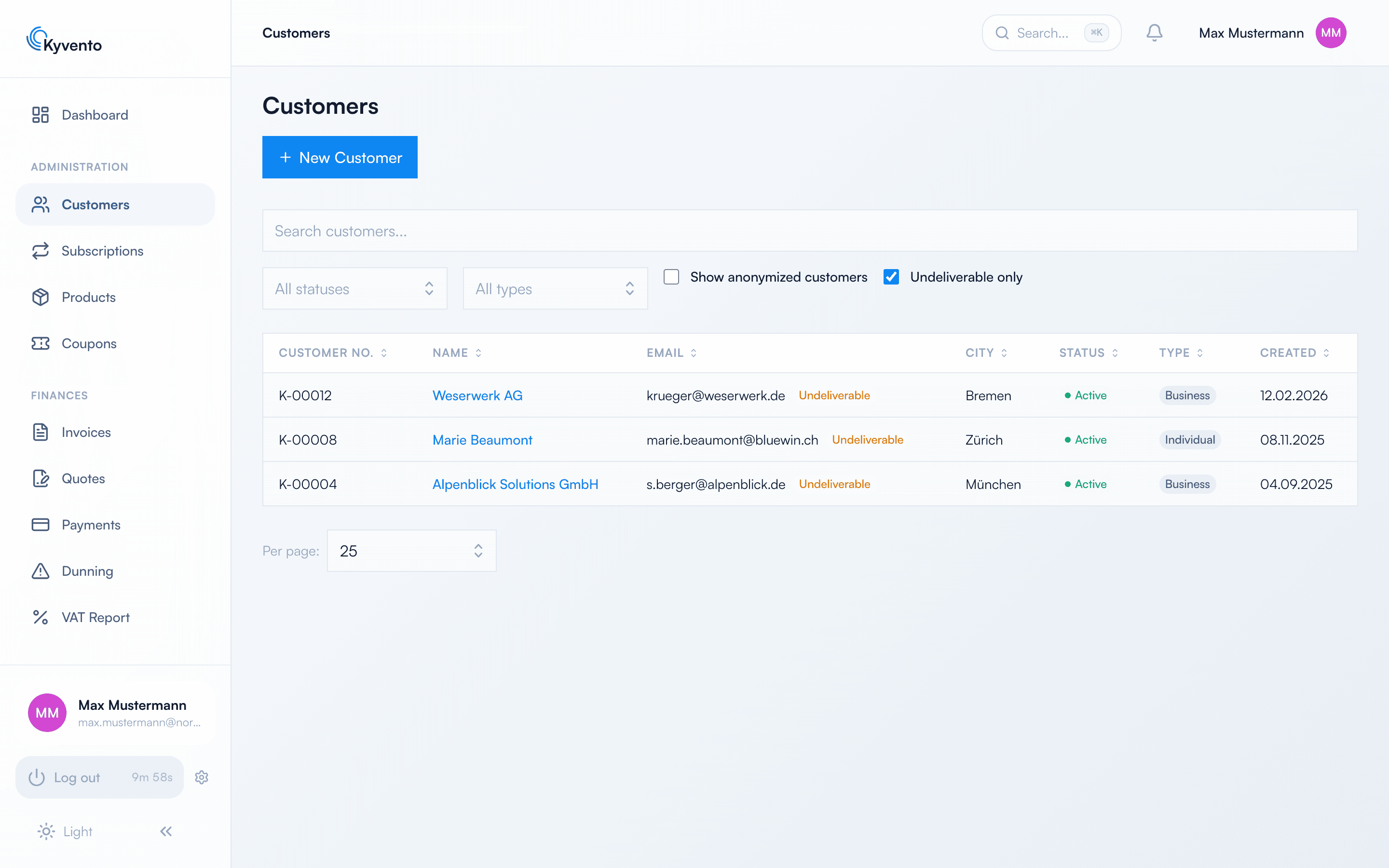
Customer list with the “Undeliverable only” filter active and the “Undeliverable” flag on three customers
The customer list with the “Undeliverable only” filter: affected customers carry the “Undeliverable” flag next to the e-mail address

What you can do

  1. Check and correct the address. Open the customer and check the e-mail address for typos or an outdated domain. Every change of the e-mail address lifts the flag automatically – whether you change the address in the customer data or the customer updates it in the customer portal. The new address is delivered to normally from then on.
  2. Release the address again. If the address is correct and working again (for example because the mailbox has been reactivated), click "Release address again" in the customer details. Any user who is allowed to edit customers can do this – directly in the app, not via the API. Afterwards the address is delivered to normally again. If delivery fails permanently once more, the flag is set again.
  3. Reach the customer another way. If the address cannot be clarified, contact the customer by phone or by post to obtain a valid e-mail address.

What this means for dunning

A dunning notice that could not be delivered has not reached the customer. Kyvento therefore does not escalate on that basis. What happens instead is set in the dunning settings: the option "Send dunning by post when the e-mail address is undeliverable" (Yes/No, default: No) only appears when the delivery method for dunning is "E-mail". With "Post" or "E-mail and post", delivery by letter is ensured anyway – dunning continues unchanged there.

Dunning settings with the option “Send dunning by post when the e-mail address is undeliverable”
The option in the dunning settings – shown as soon as the delivery method for dunning is “E-mail”

Option "Yes": the dunning notice goes by post

  • "Yes" can only be selected if postal dispatch is active and either credit for at least one standard letter is available or an automatic credit top-up is set up. Otherwise the app shows a notice about what you need to set up first. We recommend the automatic top-up – it keeps the postal route open even if the credit runs out in between. Setting up postal dispatch shows how to set up both.
  • If a dunning notice hits an undeliverable address, it is sent to the customer as a letter. Delivery is thereby achieved, and the dunning levels continue as usual.
  • If the credit has just run out and the automatic top-up is still in progress, the dunning notice is merely postponed to the next dunning run – no halt, no info e-mail.

Option "No" – or the postal route is not available at the time

If the option is set to "No" – or to "Yes", but postal dispatch has since been switched off or the credit is insufficient and there is no (or a failed) automatic top-up – then dunning halts for this customer:

  • No further dunning level, no dunning fee, no suspension.
  • The account owner receives an info e-mail immediately that the customer is unreachable and dunning has been halted – once per halt, not again with every dunning run.
  • The invoice remains open and overdue; only the automatic escalation rests.

Resuming

As soon as the flag is gone – through a release or a new e-mail address – the next dunning run continues the dunning process: the dunning level that could not be delivered is delivered again by e-mail – the same level, without an additional fee for the repeated dispatch. The deadline until the next level starts anew with this delivery.

Digest "undeliverable customers"

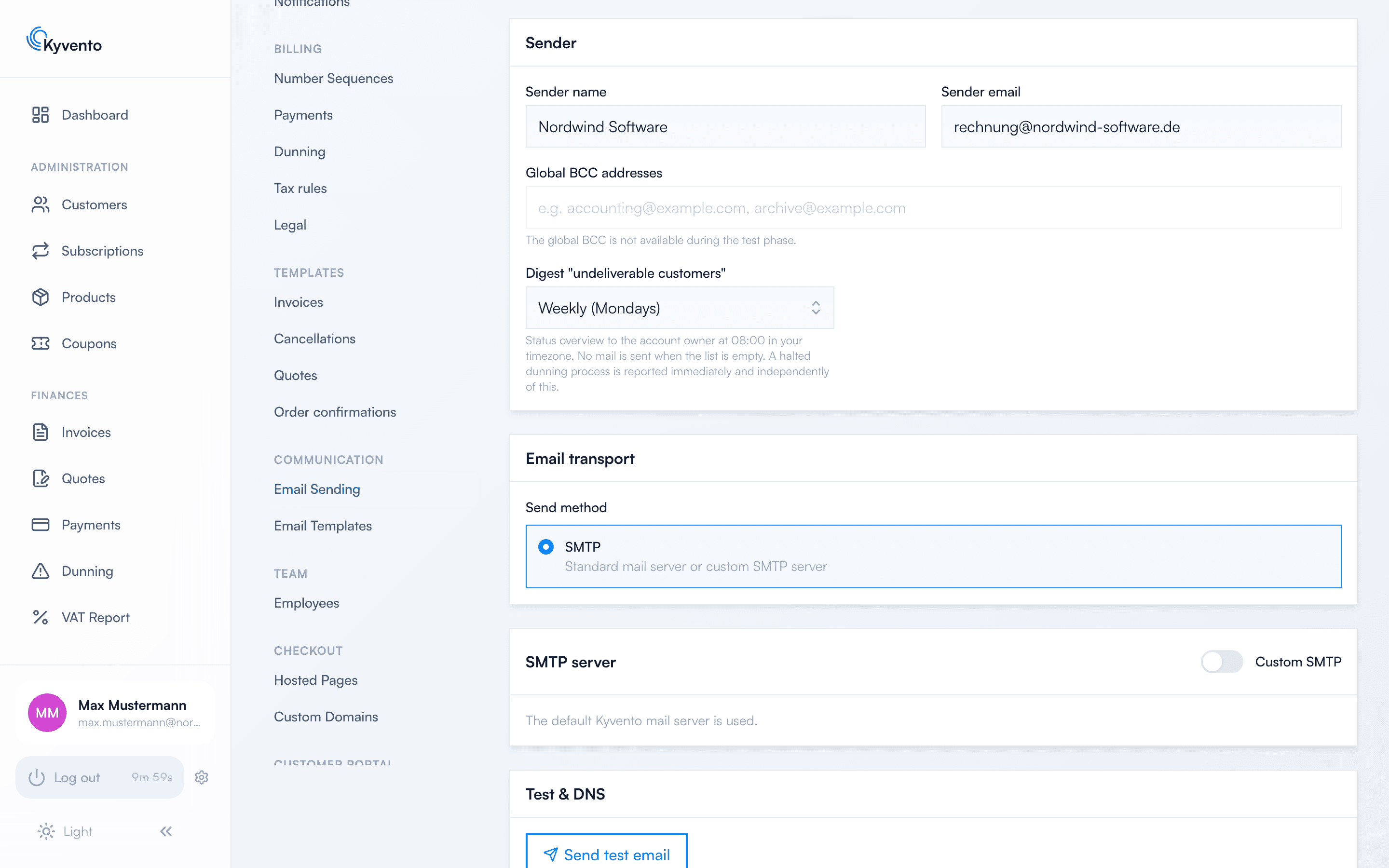
So that affected customers do not go unnoticed, the account owner receives a regular overview. The setting "Digest 'undeliverable customers'" under Settings → Email Sending offers Off, Daily and Weekly (on Mondays); the default is weekly.

E-mail settings with the selection for the digest “undeliverable customers”
The digest setting in the e-mail settings: Off, Daily or Weekly
  • Sent at 08:00 in your account's time zone.
  • The e-mail lists all currently undeliverable customers: name, e-mail address, since when and whether dunning is halted – plus a link to the customer list filtered accordingly.
  • If there are no undeliverable customers, no e-mail is sent.
  • A halted dunning process is reported immediately regardless of this setting (see above).

If your own address is affected

If the account owner's own e-mail address is undeliverable, the info e-mail and the digest would not arrive either. That is why the app shows a non-dismissable notice in the dashboard in this case: "Your own e-mail address is undeliverable" – with the button "Release my address again" or the link to change the address. The notice disappears as soon as the address is deliverable again.

Good to know

  • The flag applies per customer and per address: releasing or changing an address only affects that customer.
  • How to improve the deliverability of your domain in general (SPF, DKIM, DMARC) is described in Sending invoices by email.

Next steps

← Back to Support

Related articles

Invoices & payments

Setting up postal dispatch

Overview Postal dispatch is an add-on module: Kyvento has your documents printed, enveloped and delivered as letters. Th...

Invoices & payments

Recording a chargeback manually

Overview When a customer charges back an invoice they had already paid — as a SEPA direct debit return or a card chargeb...