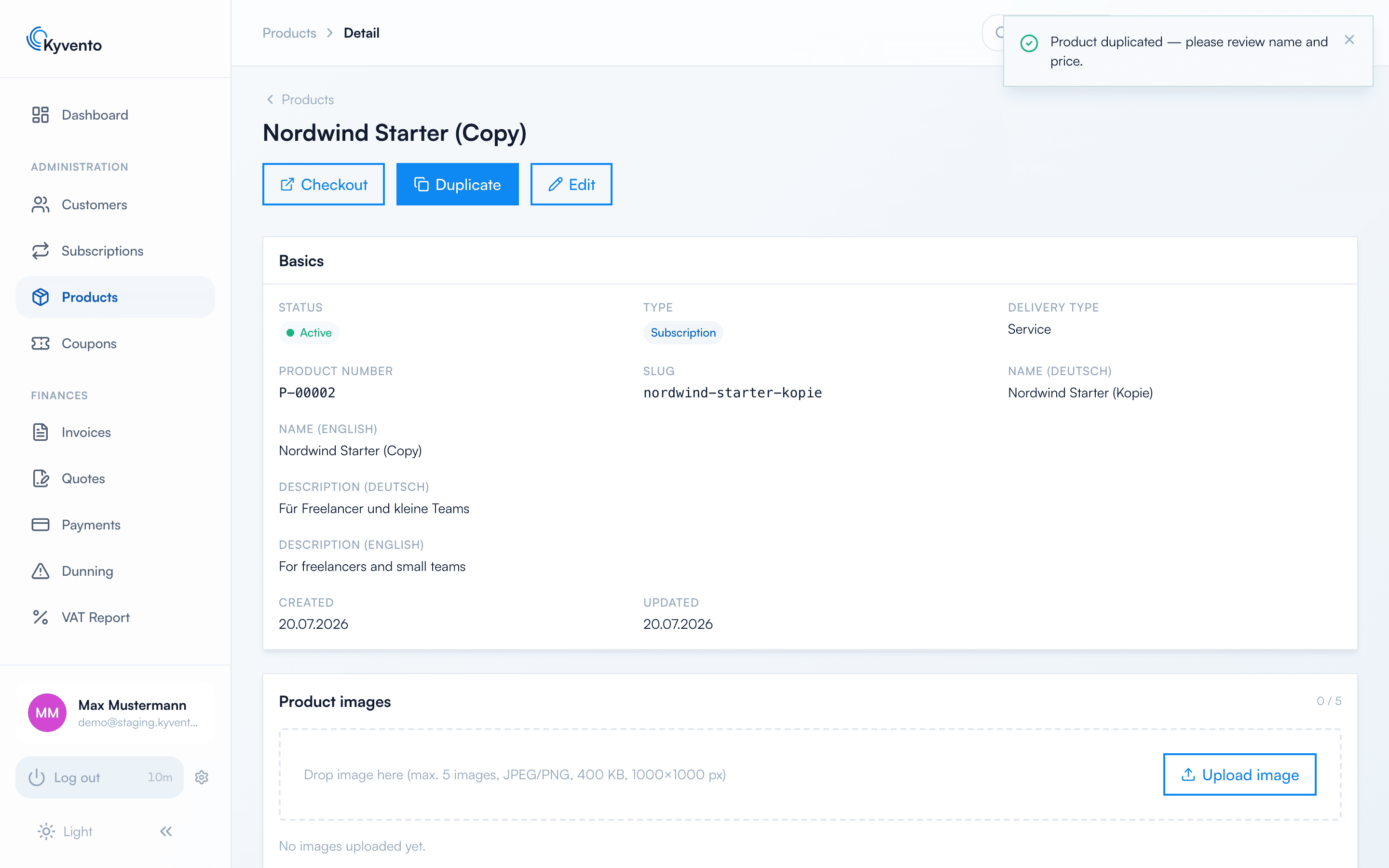
Similar plans – a yearly variant of an existing monthly plan or a promotional price, for example – don't need to be configured from scratch. With the duplicate function, you create a complete copy in seconds and only adjust the differences.
Duplicating a product
Open the product's detail page ("Management" → "Products" → click the product) and choose "Duplicate" in the action bar. Kyvento copies every setting — texts, prices, intervals, cancellation conditions and tax configuration —, assigns a new product number and slug, and appends "(copy)" to the name. You land directly on the copy's detail page.
Two things are worth knowing:
The copy is active immediately — bookable without any further action. Adjust the name and price before you link to or advertise the new plan.
Product images are deliberately not copied. Upload them again in the copy if you need them.
For automation, the same operation is available as the API endpoint POST /api/v1/products/{id}/duplicate.
The action bar of the product detail page: "Duplicate" creates a complete copy
Recommendations for plan families
Keep the monthly and yearly variants as separate products – this keeps prices, notice periods and analytics cleanly distinguishable.
Don't overwrite old price levels: archive the old plan (existing subscriptions continue, but it can no longer be newly booked) and sell the new variant in parallel.