Requesting an account data export
Overview
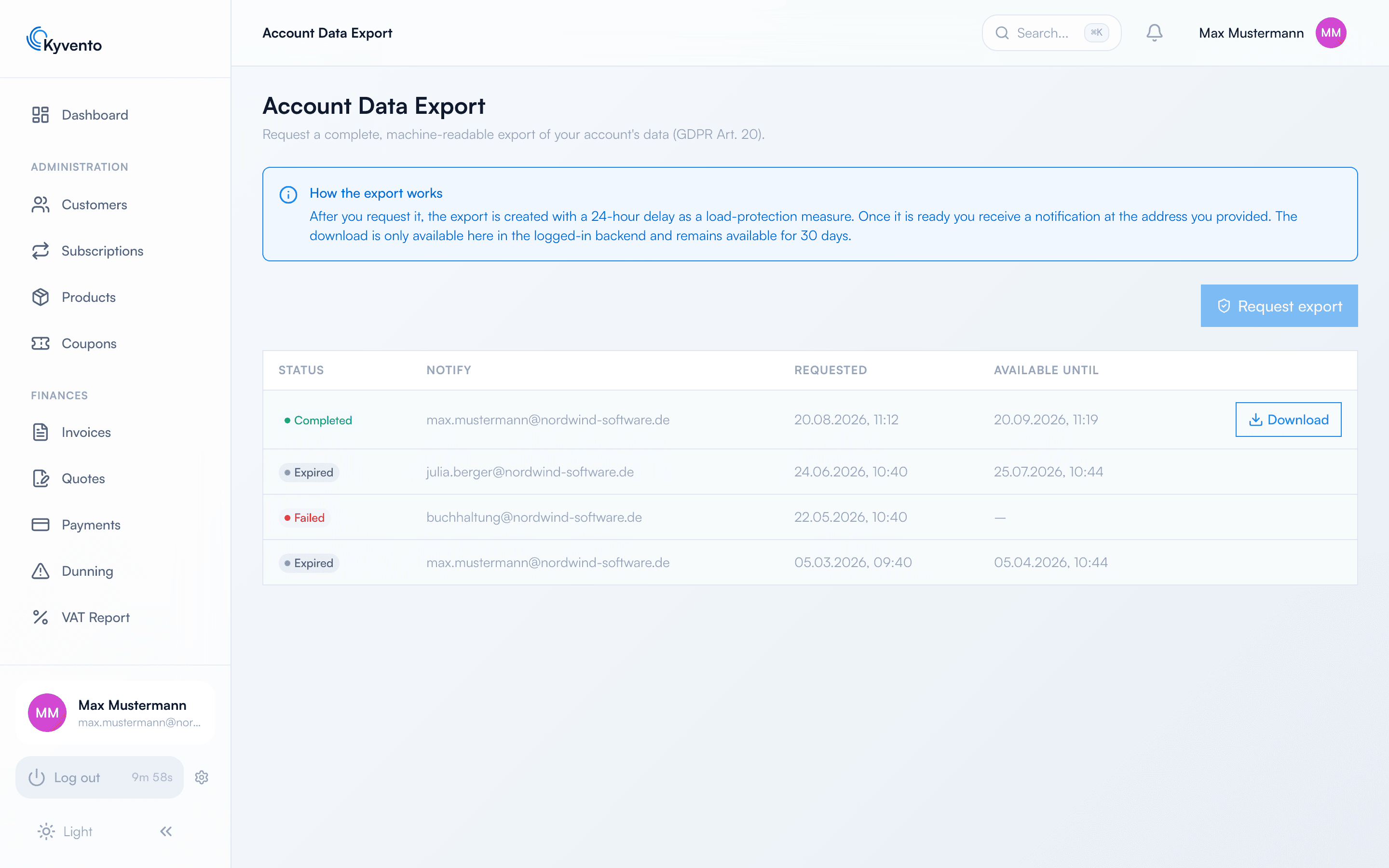
The account data export delivers the account's entire data set in one go – structured, machine-readable and in a common format, as Article 20 GDPR foresees for data portability. You find it in the sidebar under "System" → "Account Data Export".
Not to be confused with the exports: under "Exports" you produce individual reports for day-to-day work – DATEV handovers, invoice lists, posting batches. The account data export is a different thing: a complete copy of your holdings, meant for a migration, an archive or a data subject request.
Requesting an export
Via "Request export" you enter an email address for the completion notice; it applies to this one request only and need not be your sign-in address. After that:
- Creation starts with a 24-hour delay. That is deliberate: a full export reads a great many records, and the delay keeps that load away from your day-to-day operations.
- Only one export at a time can be requested. While one is pending or still valid, Kyvento rejects a second request.
- As soon as the archive is ready, you receive the notification at the address you gave.
- The download runs exclusively here in the signed-in backend – the email carries no download link. The archive stays available for 30 days; the list shows status, notification address, timestamp and expiry date for every entry.
Every request is logged. The feature requires full access rights to the account data export – an employee without them does not see the menu entry.
What the archive contains
You receive a ZIP file structured as follows:
data/*.json– the structured data per category: customers, subscriptions, products, invoices and line items, payments, refunds, customer credit (bookings, usage and movement log; cancellation and correction invoices are included as a document type among the invoices), dunning history, coupons, checkout sessions, postal dispatch, the email log, support tickets and more.invoices/pdf/*.pdf– your invoice documents as individual PDF files.documents/*– the attachments you uploaded, as files. Documents of other categories appear only as metadata indata/documents.json, not as files._meta.json– the manifest with the schema version, the categories included and the number of records per category.README.md– a short description of the structure, readable inside the archive itself.
All timestamps are given as UTC in ISO 8601, and the texts are UTF-8 encoded.
What is deliberately left out
- Security credentials – passwords, two-factor secrets, API tokens and raw data from your payment provider. Bundling them into a file that leaves the house as a download would be an unnecessary risk, and they are worthless for your data portability.
- The unredacted audit trail – it is included, but redacted: system and third-party references are pseudonymised or removed.
After a cancellation
Once your contract has ended, access to this page remains for another 60 days so that you can take your data with you. The page then displays the end date at the top, and after signing in the application takes you straight here; all other areas are locked during that time. Factor in the 24 hours of lead time and the 30 days of availability – so request the export early and download it while the window is open. Details in Changing or cancelling your Kyvento plan.
Next steps
- Individual reports rather than the whole data set – see Setting up the DATEV export
- Removing an individual customer's data – see Deleting and anonymizing a customer