Accepting credit card payments
Overview
For card payments you connect Kyvento to a payment service provider: Stripe or Unzer. The two are mutually exclusive — exactly one card provider is active at any time. PayPal runs independently of that and can be operated alongside.
Your contract with the payment service provider
Payment processing is a third-party service: you conclude the contract for it directly with the provider. Their terms and prices apply to you directly, and they are also your contact for outages and fee questions. Kyvento only provides the technical connection.
This is separate from your own Kyvento subscription — Kyvento bills you for that regardless of which payment service provider you use for your customers.
Connecting Stripe
Under "Settings" → "Payments" → "Stripe" tab you have two routes:
- "Connect with Stripe" (recommended) — the guided Stripe Connect process. You work through the Stripe onboarding, Kyvento shows the connection status. No key management needed.
- "Configure manually" — you store your own API keys from your Stripe dashboard. On this route you also create a webhook in Stripe yourself and enter its signing secret in the "Webhook Secret" field. This is mandatory: without that secret, Kyvento rejects saving the keys and does not accept any payments via Stripe. So create the webhook first — step by step, see Setting up the Stripe webhook.
Kyvento only ever charges through your Stripe connection. If it is incomplete, the payment fails with a clear error message — never through someone else's account.
Connecting Unzer
In the "Unzer" tab you store the private key and the public key and choose the mode (test or live). For Unzer, "Live Mode" only becomes available once the plan you have booked is active — during the trial period it is locked, and Kyvento does not accept Unzer live keys yet either.
On saving, Kyvento verifies the keys directly with Unzer. If they do not belong together, or if a key belongs to the other mode — a test key in live operation, say — saving is rejected rather than accepted. Otherwise the error would only surface with the first real payment. If the keys check out, Kyvento registers the required webhooks with Unzer itself; you do not have to configure anything in the Unzer portal.
Which payment methods your Unzer contract covers is managed in the Unzer merchant portal. Kyvento queries that state only when you save the credentials and shows exactly one thing from it: a warning if SEPA direct debit is not enabled for your key pair. There is no ongoing synchronization — if you enable a new payment method at Unzer, save the credentials in Kyvento again so the check is refreshed.
Enabling the credit card method
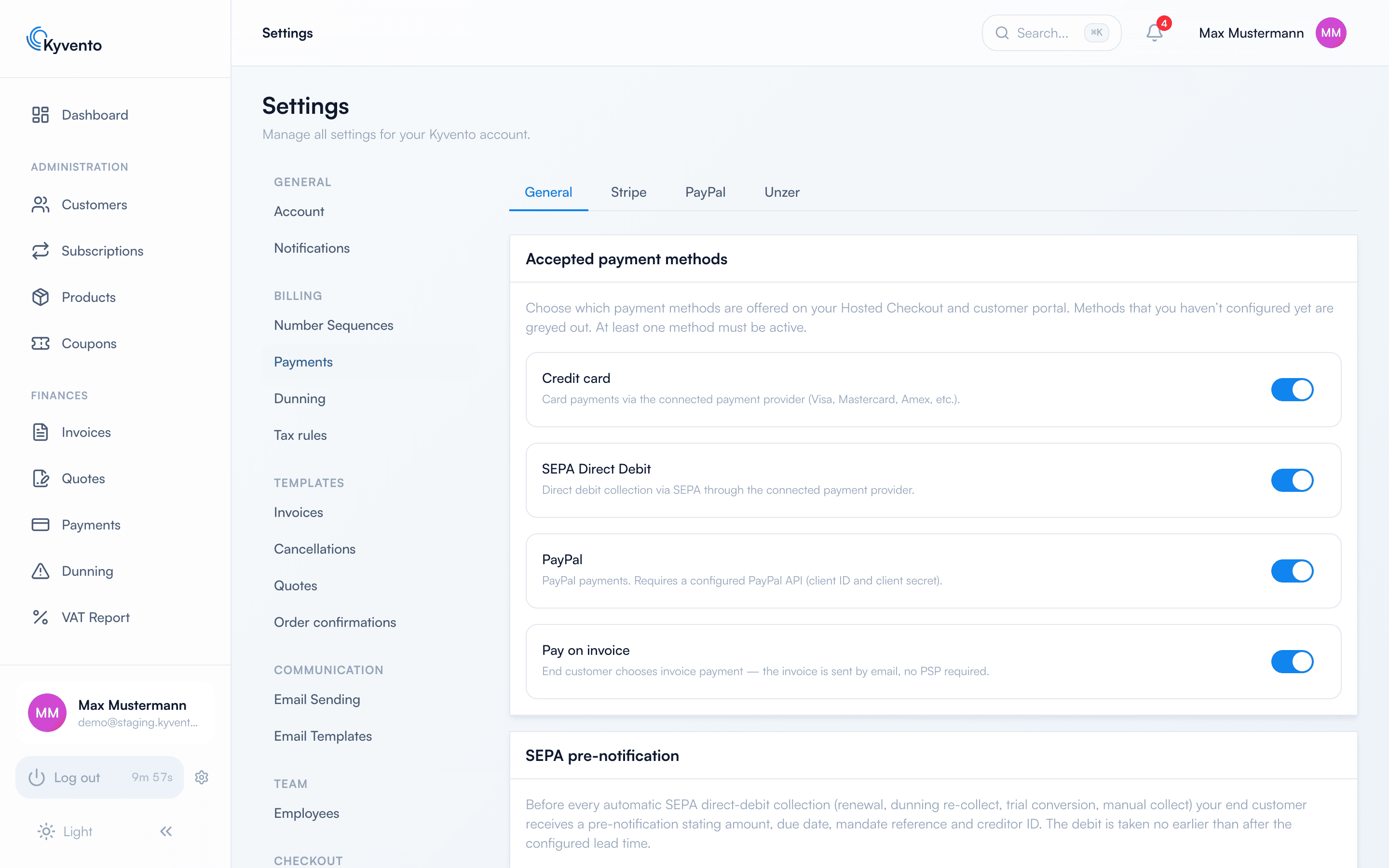
Once a provider is connected, enable the "Credit card" payment method in the "General" tab — it then appears in the hosted checkout and the customer portal. Without a connected provider it stays greyed out.
Strong customer authentication (3-D Secure)
If the bank requires confirmation by the customer, Kyvento supports that in all three situations — the difference lies in who notifies the customer:
- In the checkout — the 3DS prompt opens directly in the payment flow. The customer is sitting in front of it anyway.
- On renewals — Kyvento triggers the confirmation route automatically and writes to the customer.
- On a manual collection by your team — here Kyvento does not send the email on its own. The dialog shows you that a confirmation is needed; the email with the secure payment link only goes out when you click. See Recording payments manually.
Next steps
- Direct debit as a second payment method — see Setting up SEPA Direct Debit
- Add PayPal — see Integrating PayPal