Audit log and change history
Overview
Who changed what, and when? Kyvento answers that question differently from what you might expect of a change log: for tax-relevant data, the change is prevented in the first place rather than recorded afterwards. This article shows which evidence is available to you and how to use it.
Change protection instead of a change list
Finalised documents are write-protected and secured with SHA-256 checksums; corrections exist only as separate cancellation documents referencing the original. The "change history" of an invoice can therefore be read in full from the documents themselves – and in an audit-proof way, because nobody can retell it afterwards. Details in the article GoBD-compliant archiving.
What you can inspect directly
- The email log (sidebar, "System" group): every system email sent, with recipient, subject and time – your evidence that an invoice or dunning notice actually went out.
- The document chain: original and cancellation document reference each other.
- Status and timestamps in the detail views of subscriptions, invoices and payments – start, cancellation date, payment time. For dunning, the dunning history lists every level with date and outcome.
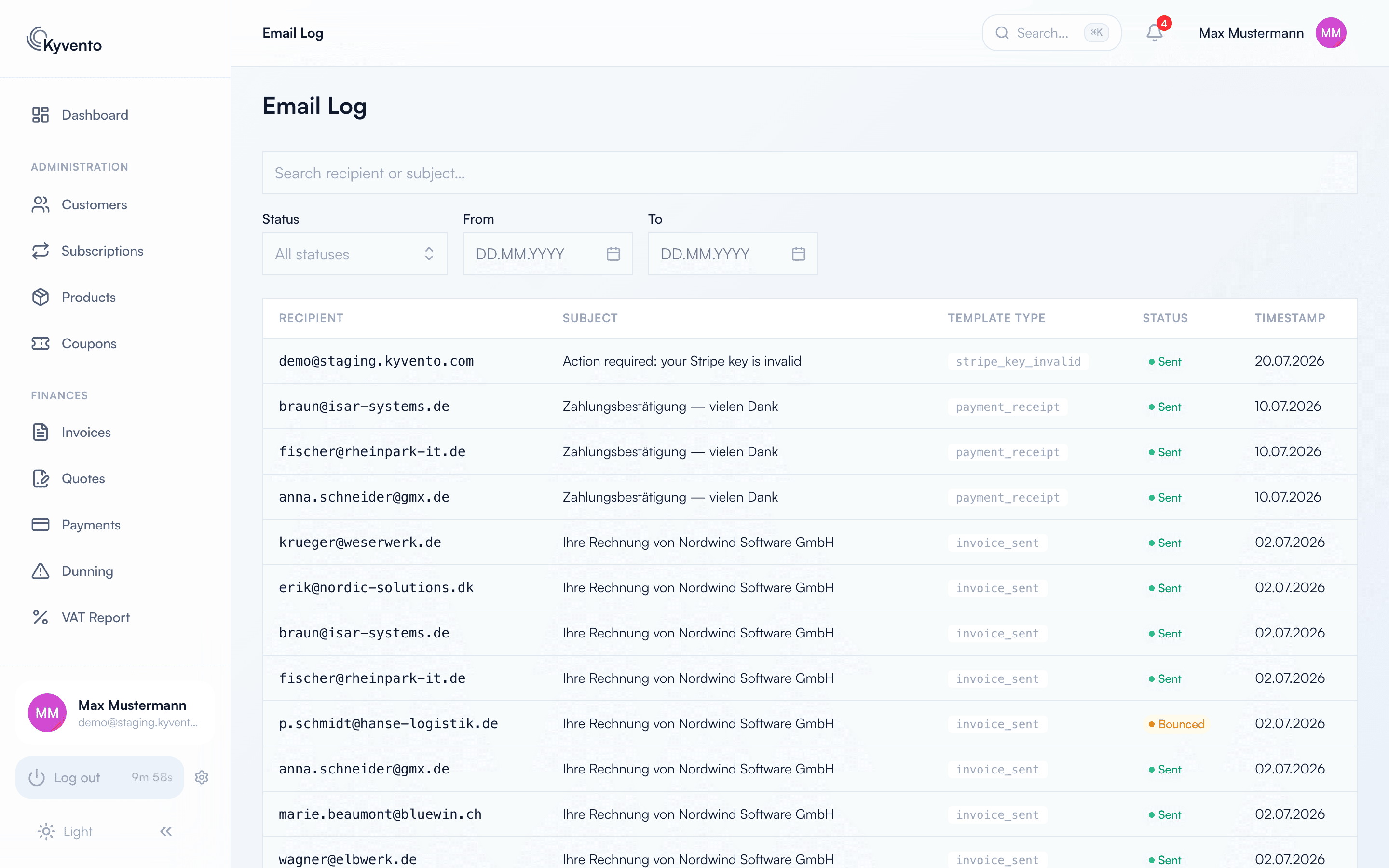
The internal audit log
Beyond that, Kyvento records security- and business-relevant events in an append-only audit log – sign-ins, document events, customer changes, dunning operations and configuration changes. Entries once written can neither be modified nor deleted.
There is no self-service view of this log inside your account; it serves system security and investigation in support cases. If you need evidence the views above do not provide, contact support.
What you can do yourself
- Work with personal user accounts instead of shared logins – only then can actions be attributed to individuals (see Inviting team members and managing permissions).
- Grant permissions on a least-privilege basis – whoever only needs to read does not need full rights.
- Enable two-factor authentication for every account with financial access.
Next steps
- Immutability and checksums in detail – see GoBD-compliant archiving
- Check dispatch evidence – see Sending invoices by email