Preparing the advance VAT return
Overview
The advance VAT return arises from your accounting – typically at your tax advisor's office or in your accounting software, not in Kyvento itself. Kyvento provides the basis for it: correctly taxed invoices and a posting batch in which the revenues are already separated by tax scenario. This article shows how the chain from tax configuration to the advance return works.
Foundation: the tax rules
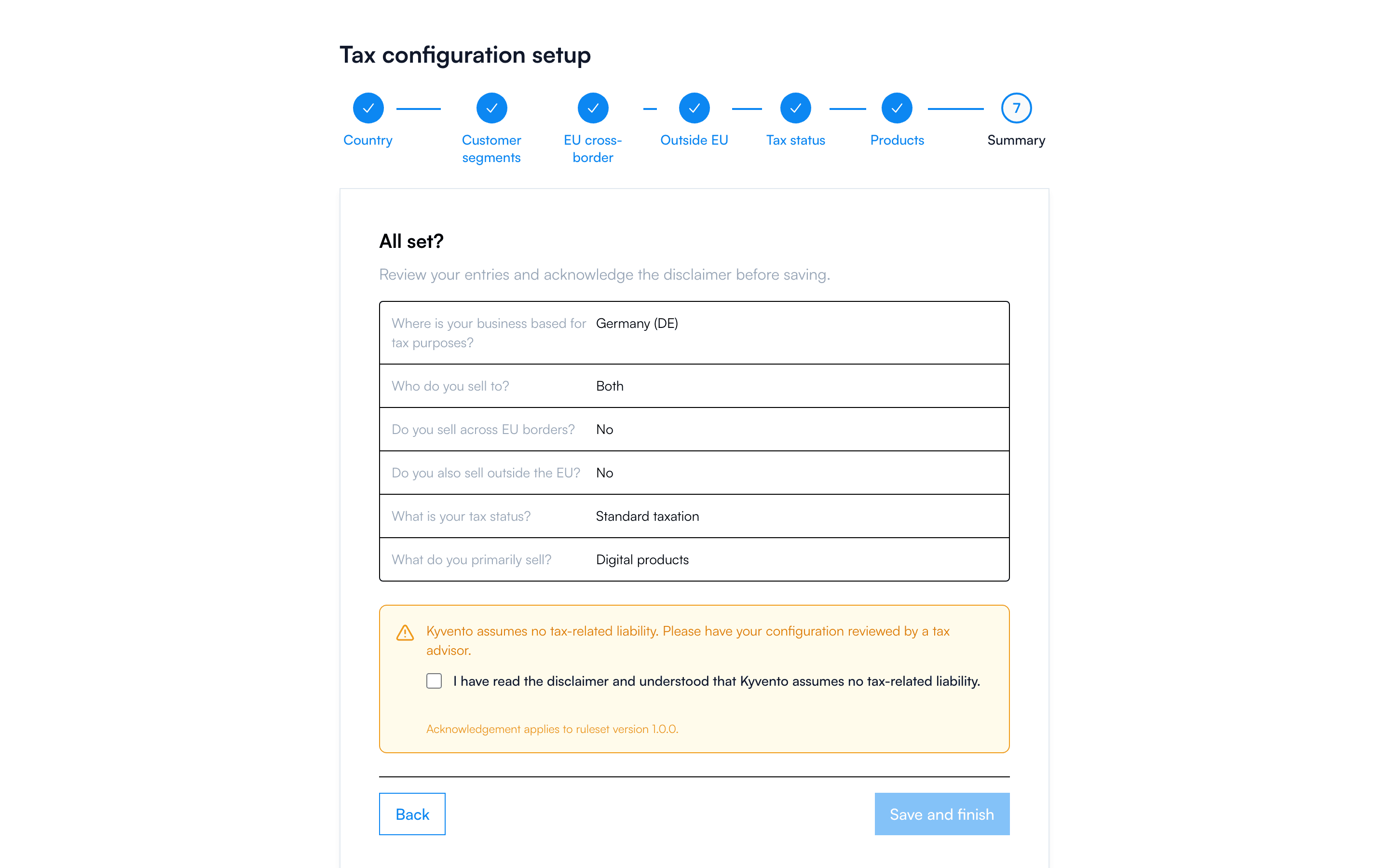
The basis of every correct advance return is the one-time tax configuration under Settings → "Tax rules". The seven-step wizard defines how Kyvento taxes your revenues – from your country of establishment through customer segments (B2B/B2C) to EU cross-border sales (OSS) and third-country business. The summary at the end shows all rules at a glance.
What appears on every invoice
Every finalized invoice shows the VAT per line item, including a breakdown per tax rate. Kyvento marks special cases automatically with the appropriate note – such as reverse charge for EU B2B services or the tax exemption of exports. How the rates come about is explained in the article "Charging VAT correctly".
The path to the advance return
- Close the month: finalize drafts, check cancellations – see "Period closing and month-end".
- Generate the DATEV export: the posting batch separates revenues by scenario via the revenue accounts – Domestic, EU B2B (reverse charge), EU B2C (OSS) and Third country (see "Assigning bookkeeping accounts (SKR03/SKR04)").
- Hand over to the tax advisor: from the imported postings, your tax advisor's office prepares the advance return and submits it via ELSTER.
If you do the accounting yourself, transfer the values accordingly into your accounting software – for the handover paths, see "Integration with accounting software (Lexoffice, sevDesk)".
Special case: OSS
If you sell digital services to EU private customers above the 10,000-euro threshold, Kyvento calculates the tax rates of the respective country of consumption. These revenues do not belong in the German advance return but in the separate OSS report – in the posting batch they run through the dedicated EU B2C revenue account and thus stay cleanly separated.
Good to know
- Kyvento does not currently offer a dedicated tax evaluation (totals per tax rate across all invoices) – this aggregation is handled by your accounting based on the posting batch.
- If your tax status changes (such as moving out of the small-business regulation), first adjust the tax rules – new invoices immediately follow the new rules, existing documents remain unchanged.
Next steps
- Understand the tax logic in detail – see "Charging VAT correctly"
- Generate the posting batch – see "Setting up the DATEV export"